
Solarsat guide
4G and 5G interference on Freeview TV
Freeview reception can be affected by more than the aerial and transmitter. Mobile network signals may cause problems in some installations, particularly where a television system has an unsuitable aerial, poor connections or inadequate filtering. A sudden picture issue does not prove that a nearby mobile signal is responsible, so careful diagnosis is preferable to changing equipment on guesswork.
Phones and email Monday to Saturday, 8:30am to 6pm. Showroom visits by appointment.
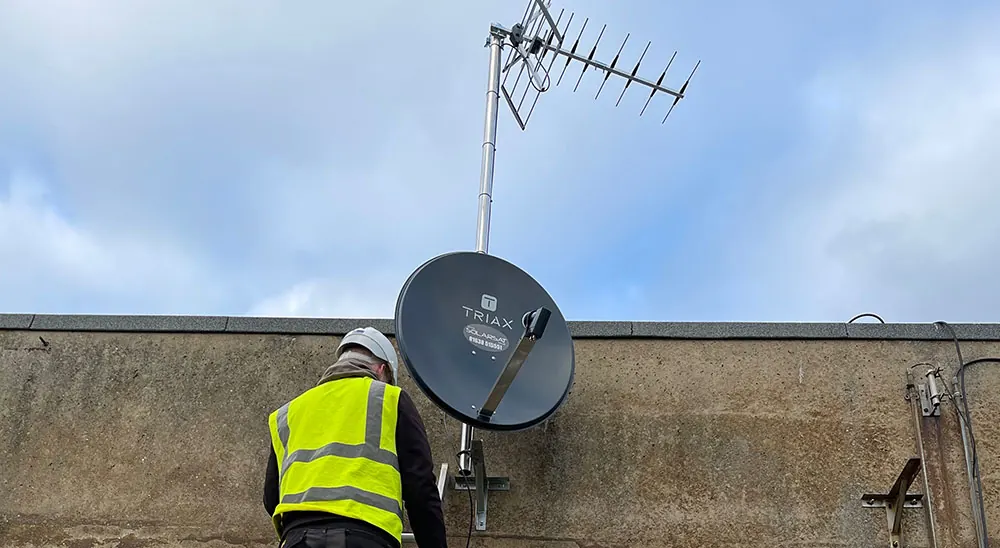
How mobile signals can affect television
Television and mobile services use radio frequencies, and a television system can be vulnerable when unwanted energy reaches its tuner or amplification equipment. The aerial may pick up signals outside the frequencies it is intended to receive, especially if it is broad in response or positioned where mobile signals are strong. Poor screening or loose connections can also allow interference into a cable system.
The presence of 4G or 5G coverage does not automatically mean a television fault is caused by it. A loose plug, damaged downlead, water ingress, incorrect aerial direction or changing transmitter conditions can produce similar symptoms. Establishing when the fault began, which channels are affected and whether other televisions show the same issue provides useful clues, but measurements are needed to confirm the cause.
Symptoms and initial checks
Possible signs include picture freezing, blocky images, sound interruptions or channels disappearing. The effect may be intermittent and may differ between television sets if their tuners and cable routes vary. Note the channel names, times and whether the problem affects one room or several. A fault on every outlet points towards a shared component or incoming signal, while a single affected set may have a local connection or equipment issue.
Check that aerial plugs are firmly seated and inspect accessible cable for crushing, fraying or sharp bends. Confirm that the television is tuned to the intended transmitter and that any recent retuning has not changed the channel list unexpectedly. Do not repeatedly retune without a reason, since this can obscure the original symptoms. If an amplifier has recently been installed, a controlled test by a competent person can help determine whether it is contributing to overload.
Aerial selection and filtering
A suitably grouped or filtered aerial can reduce reception of unwanted frequencies while capturing the television services needed at the location. The appropriate choice depends on the transmitter and local signal conditions. An aerial that is too broad may collect more unwanted energy, but selecting a narrow design without checking the required services can also lead to missing channels. A site-specific assessment is preferable to choosing by a generic label.
A filter may be fitted in the aerial feed to attenuate signals outside the television band. Its position and specification matter, and it must not block services that the household expects to receive. Where a masthead amplifier is present, filtering and amplification need to be considered together. Poorly chosen components can reduce wanted signal as well as unwanted signal, so testing before and after the change is important.
Why amplification can make things worse
An amplifier boosts the signal presented to it, which can include unwanted mobile signals. If the amplifier or television tuner is overloaded, reception may deteriorate even when the wanted television signal appears strong. Adding a larger booster is therefore not a reliable response to interference. The correct approach is to identify where the unwanted energy enters and whether the wanted signal has adequate quality.
A technician can compare readings at the aerial, after any filter or amplifier and at the television outlet. This staged approach helps identify whether the problem is aerial response, cable ingress or equipment overload. It also avoids replacing sound components unnecessarily. If reception is weak at the aerial, correcting the aerial position or condition may be more relevant than amplification alone.
When to seek help
Consider professional testing if several channels fail repeatedly, multiple outlets are affected or a system change has not resolved the issue. Tell the installer when the symptoms began and what equipment has been changed. If a suspected interference issue is confirmed, the remedy could involve a filter, aerial replacement, cable repair, revised distribution or removal of unnecessary gain. The solution depends on the measured signal, not just the timing of the fault.
Avoid accessing a roof, mast or communal equipment without appropriate permission and safe access. In shared buildings, report the issue to the responsible manager so that a fault can be checked without disrupting other users. Keep a note of any work and its effect on reception. A clear diagnosis should explain what was measured, which component is implicated and how the result will be checked at the affected television points.
Have a question about your own property? Contact our Mildenhall team.
Related services
Services this guide covers
FAQs
Frequently asked questions
Want advice for your own home or business?
Call our Mildenhall team or send an enquiry and we will talk through the options.
Enquiries
Ask us a question or get a quote
Tell us a little about your property and what you need. We will get back to you to talk it through.
- 01638 515551
- info@solarsat.co.uk
- Phones and email Monday to Saturday, 8:30am to 6pm
- 8 High Street, Mildenhall, Suffolk IP28 7EQ. Showroom visits by appointment.