
Solarsat guide
Planning an AFN satellite television setup
A satellite television setup for AFN viewing needs to be planned around the specific receiver, dish and property. Before arranging installation, confirm the equipment requirements through the appropriate service and equipment provider, then consider mounting permission, access and a tidy route for the cable.
Phones and email Monday to Saturday, 8:30am to 6pm. Showroom visits by appointment.
Confirm the equipment requirements
Start by identifying the receiver and dish specifications supplied for the intended setup. Satellite systems can use different LNB types, cable arrangements and receiver connections, so an installer needs accurate information rather than a general description of the service. Check the model number and documented connection requirements with the equipment provider before purchasing additional parts.
Keep service questions separate from installation questions. The service or equipment provider is the right source for current details about accounts, supported equipment and viewing arrangements. An installer can assess the physical dish position, mounting surface, wiring route and signal measurements, but should not be expected to confirm matters outside the installation scope.
Assess the property and dish position
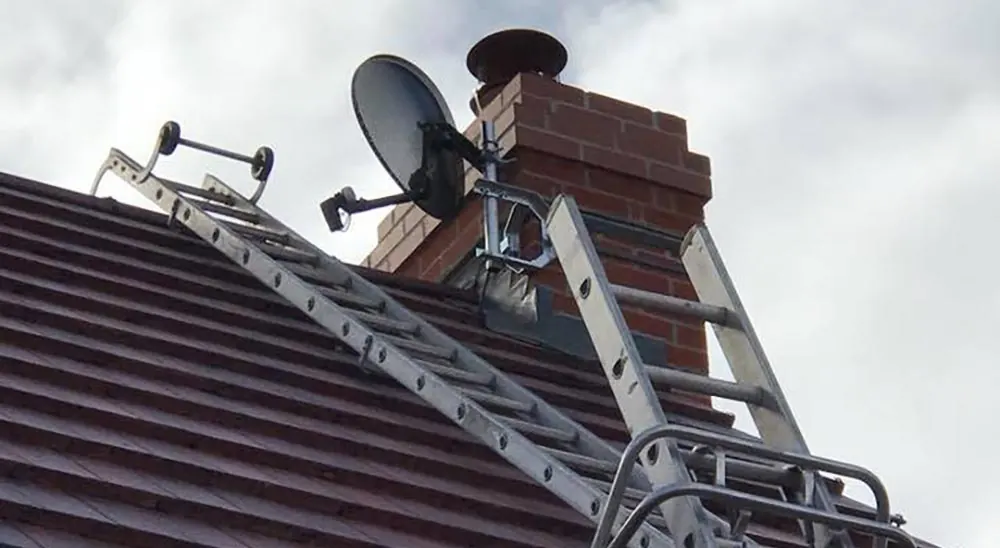
A satellite dish needs a suitable view towards the relevant satellite and a stable mounting point. A wall, roof edge or nearby obstruction can affect the available position, while trees and later building work may alter the view. Have the proposed location assessed at the property rather than relying only on a map or an online illustration of satellite direction.
The mounting surface must be appropriate for the bracket and the expected exposure to weather. Consider both the external appearance and whether a technician can access the installation safely for maintenance. Where there is more than one possible location, discuss the trade-offs between visibility, cable distance and access before work begins. Do not attempt roof access or dish alignment yourself.
Plan permissions for rented homes
Tenants should obtain permission from the landlord or managing agent before attaching a dish, drilling through an external wall or routing a cable through shared areas. A tenancy agreement may set out conditions for external equipment. Share the proposed position and installation method so consent can be considered with the actual requirements in view.
In flats or managed developments, there may be additional rules about façades, roofs and communal spaces. Ask the building manager what approval is needed and whether an existing communal system is available for use. Permission should be settled before an appointment, since a technically suitable location may not be authorised. Keep written confirmation with the property records in case the installation later needs changing.
Cable routing and internal connections
A well-planned cable route avoids unnecessary bends, exposed joins and loose wiring. The installer should agree where the cable enters the home and how it reaches the receiver, taking account of the wall construction, room layout and any concealed services. Explain whether the receiver will be near the television or in a cabinet, and whether a second room may be needed later.
Connections should match the receiver requirements and be protected from moisture where they are exposed outdoors. Existing cables should be checked for damage and suitability rather than reused automatically. Inside, secure routing can reduce snagging and make the finish neater. If the route crosses a shared area or requires visible trunking, discuss the appearance and any relevant property approval before installation.
Installation checks and ongoing care
After installation, the dish should be fixed securely and signal quality checked using suitable equipment. The receiver should be connected according to its documentation, and the installer can confirm that the physical signal path is functioning. Keep the receiver details and any installation notes together so later troubleshooting can refer to the correct setup.
If reception changes, note what happens, whether it affects all viewing or only some services, and whether anything has changed outside the property. Storms, building work, new obstructions or a damaged cable can all be relevant clues. Do not climb to inspect the dish or turn it by eye. Contact a suitable installer for a safe check, and seek service or account guidance from the relevant provider.
Keep the equipment manual and record the receiver connections used during setup. These details can save time if the receiver is replaced or the room layout changes. If the equipment provider updates its requirements, compare them with the installed LNB and cabling before arranging an alteration, rather than assuming every satellite system uses the same components.
Have a question about your own property? Contact our Mildenhall team.
Related services
Services this guide covers
AFN satellite installation
American Forces Network satellite installations for families around Mildenhall and Lakenheath, set up alongside UK TV and streaming.
Find out moreSatellite TV
Freesat, Sky and AFN installations, multi-dwelling systems and callout diagnostics for signal problems.
Find out more
FAQs
Frequently asked questions
Want advice for your own home or business?
Call our Mildenhall team or send an enquiry and we will talk through the options.
Enquiries
Ask us a question or get a quote
Tell us a little about your property and what you need. We will get back to you to talk it through.
- 01638 515551
- info@solarsat.co.uk
- Phones and email Monday to Saturday, 8:30am to 6pm
- 8 High Street, Mildenhall, Suffolk IP28 7EQ. Showroom visits by appointment.