
Solarsat guide
Planning CCTV for farms and outbuildings
Farm security rarely fits neatly around a house and one entrance. A yard, machinery store, livestock building and remote gate may be separated by distance, uneven terrain and different power or network conditions. Planning around the way the site operates helps avoid a system that looks complete on paper but misses the places that matter.
Phones and email Monday to Saturday, 8:30am to 6pm. Showroom visits by appointment.
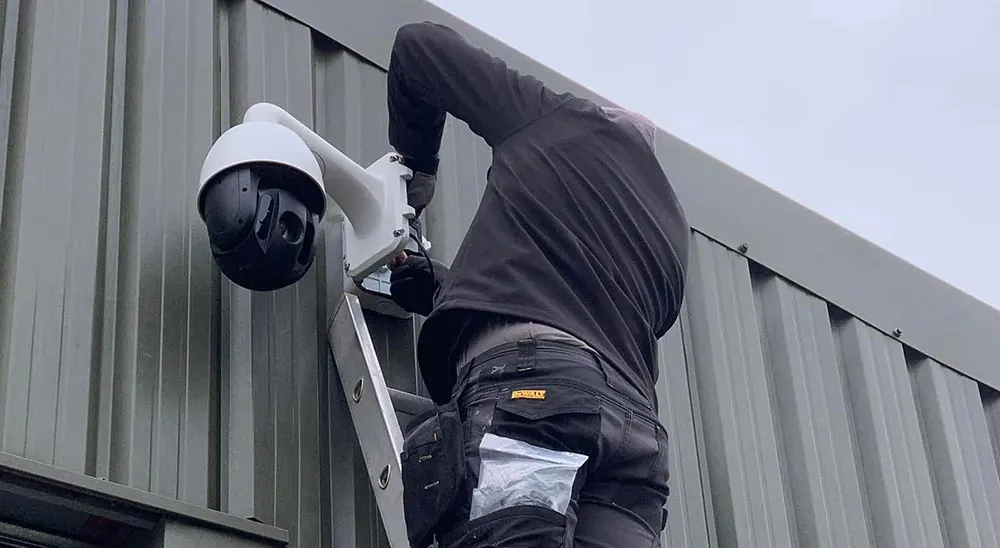
Prioritise buildings and movement
Walk the holding and mark entrances, fuel or equipment storage, livestock areas, workshops, yards and isolated buildings. Note when each area is occupied and what an operator would want to learn from footage. A camera at a gateway may record arrivals, while a separate overview can show activity around a building. Define those roles before choosing equipment.
Think about movement between zones, not only fixed assets. A vehicle may enter through one gate, cross a yard and stop at a store. A sequence of useful views can help explain that movement, whereas isolated images may leave gaps in the timeline. Record the priority locations and likely camera paths so an installation can be staged sensibly if complete coverage is not practical at once.
Account for power and connectivity
Remote structures may not have a convenient network connection, and the distance between buildings can make cable routes difficult. Survey line of sight, obstructions, trees, metal cladding and the position of existing network equipment. A point-to-point wireless link may connect separate areas where a suitable path and installation conditions exist, but it needs proper planning and alignment.
Decide where recording equipment will sit and how each camera will reach it. Consider cable protection, weather exposure, building access and the effect of machinery or future construction on a wireless route. Avoid assuming that a phone signal or domestic Wi-Fi will provide reliable continuous video across an entire site. Test connectivity at the actual proposed locations and plan what happens if a link or power supply fails.
Select views for yards and buildings
Yard cameras need enough context to show vehicle movements without placing every subject far away in the frame. For doors and gates, a dedicated closer view may capture more useful detail than a single high overview. Consider vehicle turning circles, loading activity, open doors and machinery that can block sight lines as the working day changes.
Inside barns and workshops, dust, high ceilings, changing light and reflective surfaces affect both camera choice and position. Avoid mounting where moving equipment can strike the camera or where routine work makes cleaning inaccessible. Livestock areas need views that support the intended monitoring task without unnecessary close-up recording. Make sure the equipment and cables do not create an obstruction or interfere with normal work.
Plan night coverage and weather exposure
A yard that is busy during daylight may be very dark overnight. Check whether existing security lighting provides even illumination, and consider how headlights, wet ground and pale walls affect the image. Infrared may suit a dark perimeter, while colour may be helpful near an entrance with appropriate visible lighting. Test the full route at night rather than relying on a camera specification alone.
Outdoor units should be positioned with exposure, vibration and access in mind. Wind-driven dust, cobwebs, rain and seasonal vegetation can degrade views. Keep cameras clear of exhaust, strong vibration and places where a tractor or loader routinely passes close by. A practical maintenance route matters: a view that cannot be safely inspected or cleaned can become unreliable without anyone noticing.
Use stages and keep the system manageable
If the site is extensive, start with the highest-priority entry points and buildings, then add coverage as operational needs become clearer. Choose compatible recording and network arrangements so a later phase can expand without replacing useful equipment. Label cameras by building and viewpoint, and create a simple site plan showing power, network links and recording locations.
Limit access to footage to people who need it, set suitable retention and review arrangements, and consider whether views capture workers, visitors or public areas. Check that clocks are synchronised and recordings can be retrieved from the locations where they are needed. Document who to contact when a camera stops working and how to report changes such as a new obstruction or damaged cable. Include a basic diagram of building links and the location of recording equipment. If a cable route is buried or concealed, note the route before later ground or building work. This small handover detail can prevent accidental damage and makes future additions easier to plan.
Have a question about your own property? Contact our Mildenhall team.
Related services
Services this guide covers
Farm CCTV installation
Cameras for yards, gates, barns and outbuildings, linked across the farm with wireless bridges and alerts to your phone.
Find out moreCCTV
IP CCTV with 24/7 colour images, two-way audio and smartphone alerts for homes, businesses and farms.
Find out more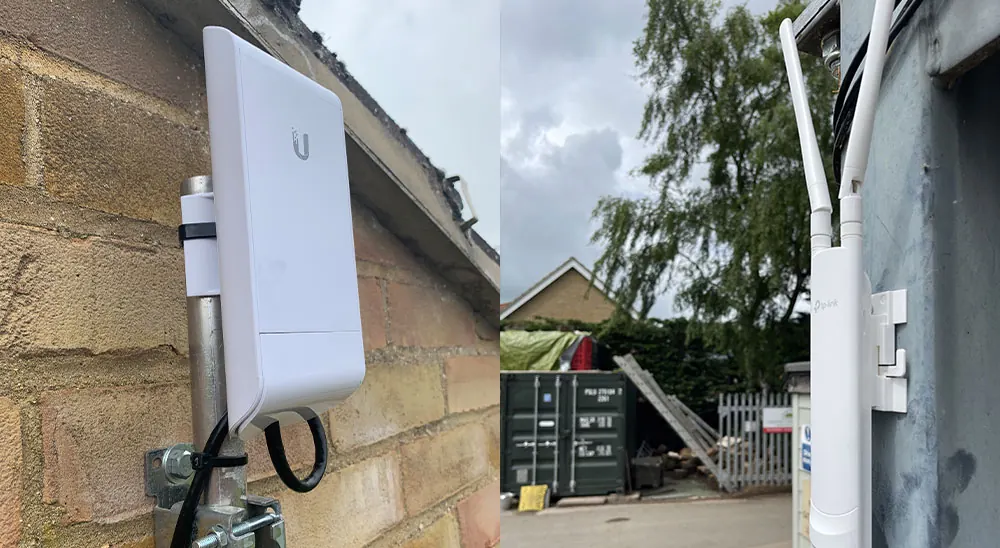
Point-to-point Wi-Fi links
Wireless bridges that carry your network to a garden office, workshop, barn or second building without digging a trench.
Find out more
FAQs
Frequently asked questions
Want advice for your own home or business?
Call our Mildenhall team or send an enquiry and we will talk through the options.
Enquiries
Ask us a question or get a quote
Tell us a little about your property and what you need. We will get back to you to talk it through.
- 01638 515551
- info@solarsat.co.uk
- Phones and email Monday to Saturday, 8:30am to 6pm
- 8 High Street, Mildenhall, Suffolk IP28 7EQ. Showroom visits by appointment.