
Solarsat guide
CCTV maintenance and routine checks
A CCTV system can appear to be working while a camera is out of focus, a recording has stopped or the view has gradually become obstructed. Regular checks help reveal these problems before an incident makes footage important. Maintenance need not mean changing settings constantly: a small, consistent inspection routine is often more useful.
Phones and email Monday to Saturday, 8:30am to 6pm. Showroom visits by appointment.
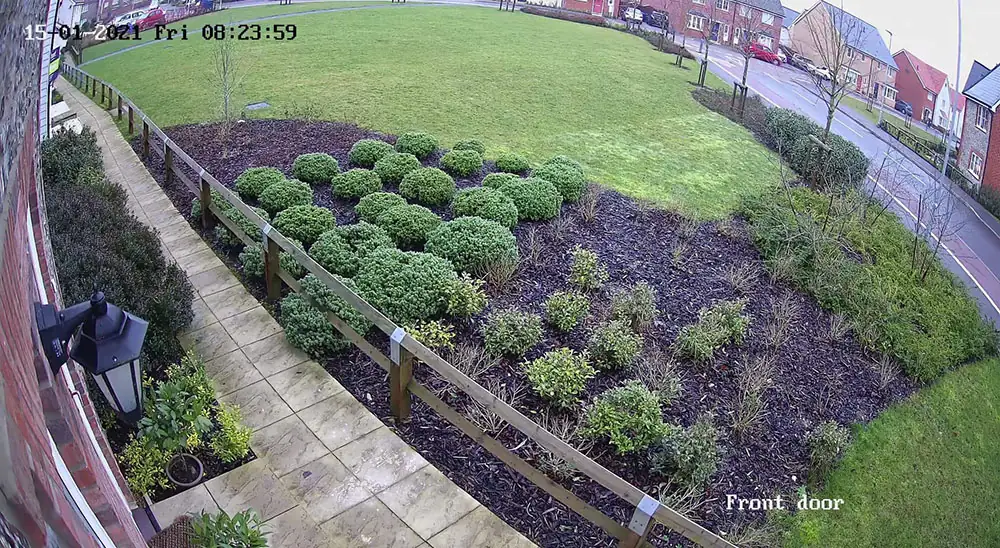
Inspect the image and camera exterior
Look at each camera's live image and compare it with a known-good view or an earlier reference. Check for blurred focus, a shifted angle, a new obstruction, water marks, cobwebs or a damaged housing. Review both near and distant parts of the scene, since a picture can look acceptable at a glance while the important entrance is no longer visible.
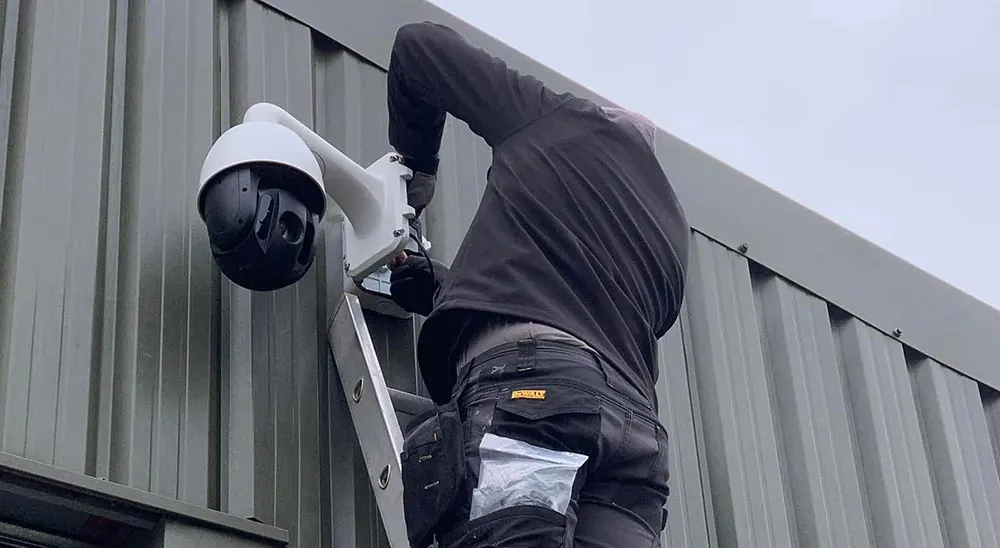
Clean only accessible equipment using a method suitable for the camera and its housing. A soft cloth can remove loose dirt from a lens cover, while abrasive materials or harsh cleaners may scratch or cloud it. Do not climb an unstable ladder or open sealed equipment without the appropriate competence. Arrange safe access where cameras are high, near electrical equipment or over difficult ground.
Confirm recording and playback
A live picture does not prove that footage is being stored. Check that the recorder is online, each expected camera appears in the recording list and recent playback covers the correct times. Test a short export if that is part of the normal response process, and verify that the clip plays on the intended device without depending on the live system.
Check storage warnings and recording schedules. A full drive, altered schedule, failed connection or power interruption can leave gaps. If motion recording is used, confirm that ordinary movement triggers recording and that settings are not so sensitive that constant activity makes useful events difficult to find. Keep a note of the date and result of checks rather than relying on memory.
Check clocks, links and alerts
Accurate time stamps help make footage useful when events need to be reviewed. Compare the recorder time with a reliable reference and check that time settings, including seasonal clock changes, are correct. If several devices are involved, inconsistent clocks can make it harder to follow a vehicle or person between cameras.
Look for network or camera connection alerts and investigate recurring dropouts. A loose connector, damaged cable, changed router or wireless obstruction may affect one view while others continue normally. Note whether faults occur at particular times, during bad weather or when nearby equipment is used. Do not repeatedly reset a system without recording what changed, since that can obscure the underlying cause.
Understand common picture problems
A washed-out night image may result from a close reflective surface, a spider web, a nearby wall or a bright light. A dark face can be caused by backlighting or a camera aimed towards a bright entrance. Try to identify whether the problem is constant or only occurs at certain times, then review the camera angle and surrounding lighting before altering advanced settings.
Intermittent flicker, lines or a blank image can point to power, cabling, connection or equipment faults. Moisture or impact damage also needs attention. Photograph or note the symptom and the affected camera before changing connections. If work requires opening equipment, testing mains supplies or accessing a high mounting point, use a suitably qualified person rather than taking avoidable risks.
Keep maintenance useful and proportionate
Set a recurring review that suits the environment. A camera near trees, a dusty workspace or a busy yard may need more frequent attention than one under a sheltered eave. Include seasonal checks for vegetation, changing daylight and new site obstructions. After storms, building work or an impact, inspect affected views promptly.
Keep a simple log of camera names, check dates, cleaning, faults and remedial work. Limit access to recordings and follow the system's retention and privacy arrangements. If a fault persists, provide the installer with the camera label, approximate time, symptoms and any changes already made. Specific information can make diagnosis more efficient and help restore the intended coverage. Where an important camera is offline, consider what temporary measure can reduce the uncovered period, such as a safe alternative view or additional checks. Keep the system log current. Do not treat a temporary workaround as a permanent repair. Confirm the restored recording by reviewing playback after the repair, not only by checking that the live image has returned.
Have a question about your own property? Contact our Mildenhall team.
FAQs
Frequently asked questions
Want advice for your own home or business?
Call our Mildenhall team or send an enquiry and we will talk through the options.
Enquiries
Ask us a question or get a quote
Tell us a little about your property and what you need. We will get back to you to talk it through.
- 01638 515551
- info@solarsat.co.uk
- Phones and email Monday to Saturday, 8:30am to 6pm
- 8 High Street, Mildenhall, Suffolk IP28 7EQ. Showroom visits by appointment.