
Solarsat guide
CCTV or an intruder alarm: which job needs doing?
CCTV and intruder alarms solve different problems. Cameras help you see what happened, while an alarm detects particular events and raises an alert. Before choosing either, decide what you want to know, how quickly you need to know it and who can respond. Neither replaces sound locks, sensible routines or a practical response plan.
Phones and email Monday to Saturday, 8:30am to 6pm. Showroom visits by appointment.
Detection and recording are different jobs
An intruder alarm uses devices such as door contacts and movement detectors to identify events within its configured coverage. Depending on its setup, it can sound locally, notify nominated people or communicate with a monitoring service. Its main purpose is to draw attention to a possible intrusion rather than explain everything that happened.
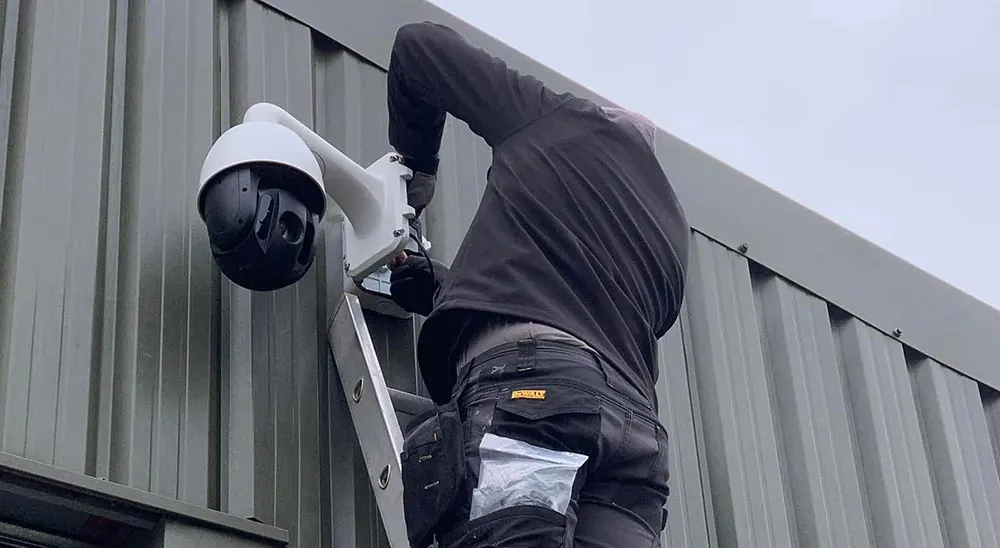
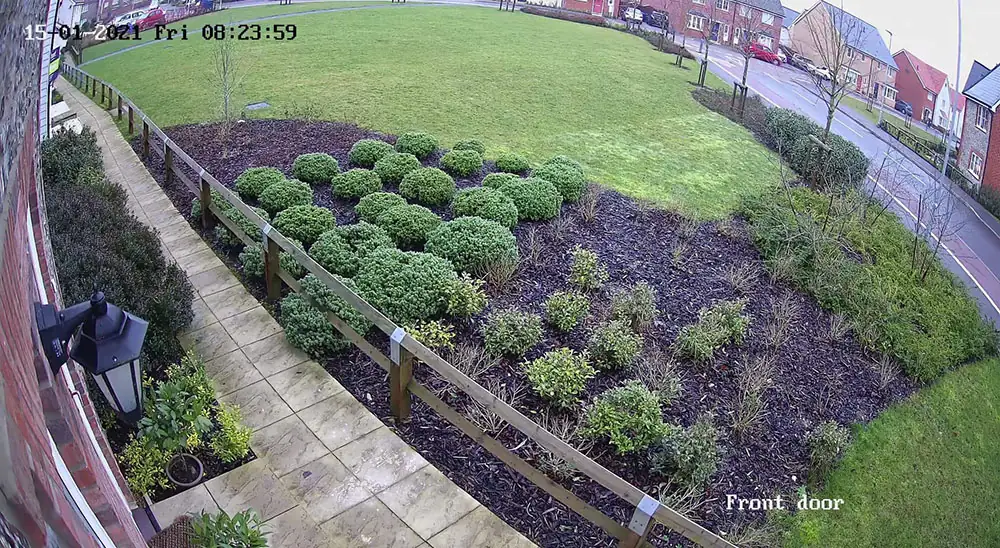
CCTV records views of selected areas and can help establish a sequence of events. Some cameras also generate movement or person alerts, but these depend on the equipment, scene and configuration. A useful recording needs a suitable angle, lighting and image detail, not simply a camera somewhere above the door.
Visible cameras and alarm equipment may discourage some unwanted activity, but neither can promise prevention. If your immediate concern is knowing that a rear door has opened, detection deserves attention first. If it is understanding repeated damage outside, carefully positioned recording may be more relevant.
Walk the layout before choosing equipment
List the entrances and spaces that matter: front and rear doors, accessible windows, side passages, garages and detached stores. Consider how someone could approach them and where ordinary activity happens. A busy shared path needs different treatment from a locked private yard or an unused side gate.
For an alarm, think about which areas need protection while people remain inside and which are empty overnight. For CCTV, identify the actual question each view should answer. Seeing someone enter a garden is different from obtaining a useful view of a face at a doorway.
Homes need arrangements that suit family routines, visitors and pets. Businesses may need separate opening and closing responsibilities, staff access controls and coverage around deliveries. Check any insurer requirements before ordering. A camera count or detector count alone is not a meaningful measure of protection.
Decide who receives alerts and what happens next
An app notification is only useful if someone notices it and knows what to do. Decide who receives alerts during work, overnight and while away. Agree how they should check the situation safely, whom to contact and what happens if the first person is unavailable.
Self-managed apps and professionally monitored arrangements carry different responsibilities. Ask what events are transmitted, what verification is used and which response procedures apply. Do not assume a subscription includes attendance or police response. Any such arrangements depend on the service, system requirements and applicable policies.
Check what remains operational if broadband or mains power fails. Local recording, remote viewing and alarm signalling may depend on different components. Ask about account security, ongoing subscriptions, shared user permissions and how access is removed when a staff member leaves or a phone is lost.
Balance privacy, combined systems and spending priorities
Keep camera views focused on the areas you need to protect. Where domestic cameras capture beyond your boundary, data protection duties can apply. Businesses also need a lawful, proportionate approach to recording. Consider signs, retention, access permissions and whether audio recording is genuinely necessary rather than leaving every feature enabled.
CCTV and alarms can complement each other without sharing an app or exchanging signals. An alarm alert might prompt an authorised person to check a separate camera system. Automatic links need confirmed compatibility and proper configuration. Buying two products described as smart does not establish that they will integrate.
When funds are limited, prioritise the clearest risk and an effective response before adding convenience features. Allow for installation, storage, maintenance and any ongoing services, not just hardware. A smaller, well-planned arrangement can be more useful than extensive equipment with blind spots and notifications that everyone ignores.
Common mistakes to avoid
Choosing cameras solely because they send alerts can leave indoor intrusion detection unaddressed. Choosing only a loud siren can leave you without useful information about an incident. Write down the intended purpose of each system so that one is not bought to perform a job it cannot reliably fulfil.
Avoid pointing cameras too widely, giving every user administrator access or leaving departed users on an account. More recorded space creates more privacy considerations and can reduce useful detail. Likewise, repeated nuisance alerts should trigger a review of positioning and settings rather than simply being silenced indefinitely.
Do not assume footage is available until you have checked playback and export. Test alarm notifications with the intended recipients too. Keep instructions somewhere accessible, and review the arrangements after building work, changes in occupancy or a new working pattern alters how the property is used.
When to hire a professional for a survey
Arrange a survey when the property has several access routes, awkward lighting, detached buildings or different occupied areas. A survey is also worthwhile where monitoring, insurer conditions or business responsibilities affect the design. Explain your concerns and daily routine rather than starting with a shopping list of devices.
Ask the installer to describe the purpose and limitations of each proposed view or detector, the alert route and the handover checks. Confirm ongoing responsibilities for updates, testing and maintenance. A useful proposal makes those decisions understandable and leaves you knowing how to operate the system, not merely how to open its app.
Have a question about your own property? Contact our Mildenhall team.
FAQs
Frequently asked questions
Want advice for your own home or business?
Call our Mildenhall team or send an enquiry and we will talk through the options.
Enquiries
Ask us a question or get a quote
Tell us a little about your property and what you need. We will get back to you to talk it through.
- 01638 515551
- info@solarsat.co.uk
- Phones and email Monday to Saturday, 8:30am to 6pm
- 8 High Street, Mildenhall, Suffolk IP28 7EQ. Showroom visits by appointment.