
Solarsat guide
Business Wi-Fi planning
Business Wi-Fi should support the way people and equipment use a building, not just produce a strong signal beside the router. Offices, warehouses and mixed-use premises have different layouts, client densities and roaming needs. A useful plan begins with requirements and a survey, then aligns access point locations, wired backhaul, security and ongoing management.
Phones and email Monday to Saturday, 8:30am to 6pm. Showroom visits by appointment.

Document users, devices and applications
List the areas that need service and the devices used there: laptops, handheld scanners, phones, printers, meeting systems and wireless cameras. Note which applications are business-critical and whether they need voice, video, low latency or dependable roaming. A guest browsing requirement is different from real-time stock systems across a warehouse.
Estimate how many clients will be active at the same time, not merely how many are registered. Large meetings, shift changes and peak trading can create busy periods. Include headroom for staff growth and temporary devices, while avoiding a design that treats every theoretical device as permanently active.
Define acceptable service at the edge of coverage. Some tasks need a stable connection throughout a work area; others may only need basic access in a break room. Agreeing these priorities helps place access points and set expectations before equipment is chosen.
Survey the building and radio environment
Building materials shape wireless coverage. Concrete, metal racking, foil insulation, cold stores and fire doors can weaken or reflect signals. A floor plan is useful, but a site visit reveals stock height, machinery, partitions and changing use. A warehouse with moving goods can have a very different radio environment from an empty building.
Look at neighbouring networks and sources of interference in the bands being considered. Avoid assuming that a nominally unused channel will remain clear, especially in dense business areas. Survey tools can inform channel and placement choices, but measurements should be interpreted against the devices and applications that matter.
Access point location should balance coverage, capacity, cable routes and service access. Mounting at a convenient point does not guarantee a good result if racks block the path or clients are far below. Plan positions with realistic occupancy and equipment, and revisit them after significant layout changes.
Design for capacity and roaming
More access points do not always mean better Wi-Fi. Excessive overlap, poorly chosen channels and high transmit power can increase interference and make clients hold on to a distant access point. Set channel widths and power levels in line with the environment, device capabilities and demand, rather than copying a generic home-router setting.
Where staff move through a building during calls or transactions, roaming behaviour matters. Access points should use a consistent network design, and client devices must support the relevant roaming features. Test movement along actual routes, because a map of signal strength alone cannot show whether a call or application session remains usable.
Busy areas may need more capacity than a larger but lightly used floor. Consider airtime, client capability and the number of simultaneous applications. A well-placed wired access point can serve a defined area more reliably than extending one access point’s signal to the limit.
Use wired backhaul and plan network separation
Structured cabling to access points provides predictable backhaul and avoids consuming wireless airtime for a mesh uplink. Plan cable routes, switch ports and PoE budgets together. In a separate building, a point-to-point bridge may provide a network feed, with wired access points serving users at the far end.
Separate staff, guest and operational devices where appropriate using network segmentation. Guest access should not expose internal systems. Cameras, building controls and business devices may have different access needs, but segmentation must be configured consistently on switches, routers and wireless management systems.
Choose central management and security features according to the site’s needs. Use strong administrative credentials, supported encryption and a documented process for firmware updates. Decide who can change the network and how access is recovered if a staff member leaves or a provider changes.
Test performance and plan maintenance
Commissioning should check coverage, throughput, latency and roaming in representative locations and at busy times. Test with the actual client types and business applications. A speed test near an access point does not prove that handheld scanners work behind racks or that a meeting call survives a walk between rooms.
Label access points, switch ports and cable routes, and keep a record of radio settings and network segments. Document the expected service areas and any known limitations. This helps a future technician understand the design and makes it easier to compare performance after a layout change.
Review the network when occupancy, stock, machinery or business applications change. Monitor access point health and client experience where management tools allow it. Regular updates and occasional surveys can identify interference or capacity issues before they become a persistent operational problem.
Have a question about your own property? Contact our Mildenhall team.
Related services
Services this guide covers

Wi-Fi and networking
Whole-property Wi-Fi, outdoor coverage, wired network points, data cabinets and wireless links between buildings.
Find out moreData and network cabling
Wired network sockets, data cabinets and structured cabling for offices and homes, planned for growth and easy to maintain.
Find out more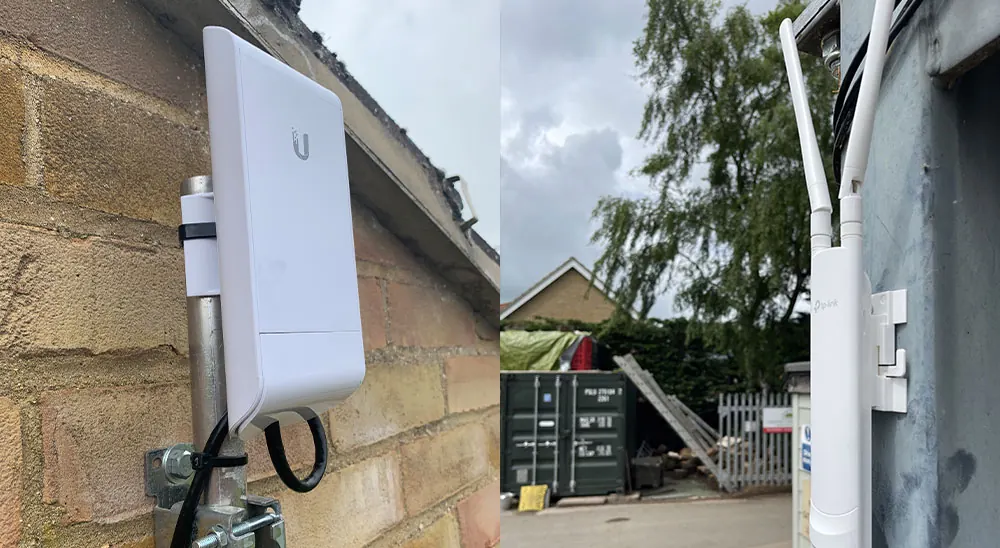
Point-to-point Wi-Fi links
Wireless bridges that carry your network to a garden office, workshop, barn or second building without digging a trench.
Find out more
FAQs
Frequently asked questions
Want advice for your own home or business?
Call our Mildenhall team or send an enquiry and we will talk through the options.
Enquiries
Ask us a question or get a quote
Tell us a little about your property and what you need. We will get back to you to talk it through.
- 01638 515551
- info@solarsat.co.uk
- Phones and email Monday to Saturday, 8:30am to 6pm
- 8 High Street, Mildenhall, Suffolk IP28 7EQ. Showroom visits by appointment.