
Solarsat guide
Outdoor Wi-Fi for Gardens, Patios and Courtyards
Reliable Wi-Fi in a garden starts with deciding where it is needed and what people will do there. A router indoors may reach a nearby patio, but walls, glazing and distance can leave uneven coverage. An outdoor access point or a wired extension can provide a more deliberate solution when planned for the space and its conditions.
Phones and email Monday to Saturday, 8:30am to 6pm. Showroom visits by appointment.
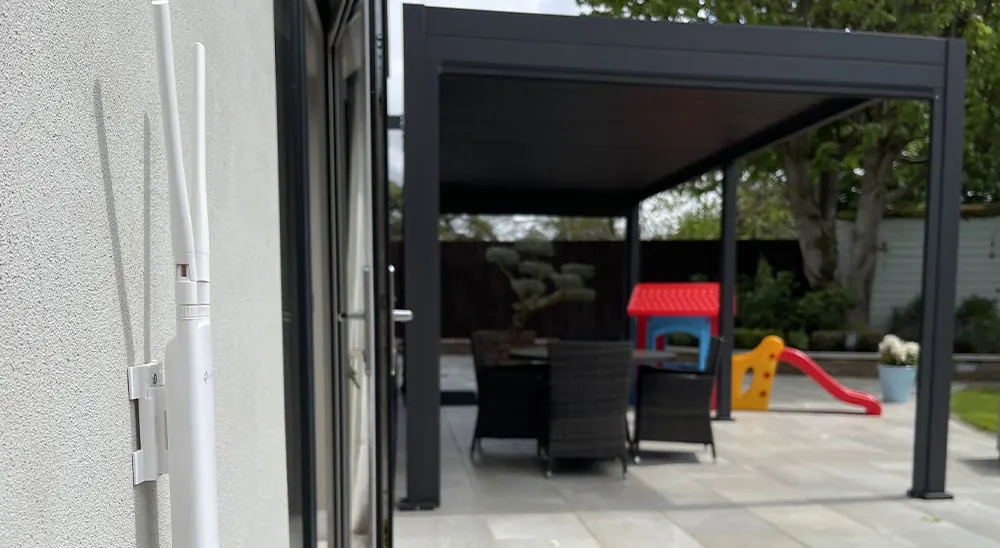
Map the places that need coverage
Mark the patio, seating area, garden office, shed and paths where a connected device will actually be used. Consider whether the priority is browsing, music, video calls, smart lighting or cameras. These uses place different demands on coverage and capacity, and it is rarely necessary to provide the same signal in every corner of a large garden.
A basic walk test with a phone can reveal existing weak areas, but phone indicators are not precise survey tools. Test with the doors and windows in their normal positions and at the times devices are usually used. Dense walls, foil-backed insulation, coated glazing and metal structures can attenuate Wi-Fi substantially.
Think about the source as well as the target. An access point needs a dependable network connection and power. Moving a repeater halfway outdoors may not help if it receives a poor signal from the router; it can only repeat what reaches it.
Choose a connection method
For an area close to the house, an indoor access point near an exterior wall may be enough, provided the signal crosses the building fabric effectively. A wired outdoor access point generally gives more predictable performance and lets you place coverage where it is needed rather than where the router happens to sit.
Where a cable cannot be run directly, a point-to-point wireless bridge can carry the network to a detached garden building. The remote building can then host its own access point. This involves two design steps: establishing the bridge path and positioning local Wi-Fi for the people using the space.
Mesh systems can extend coverage where nodes retain a good connection to one another, but every wireless hop uses airtime and placement matters. Do not assume a weatherproof outdoor node is compatible with every mesh system. Check the manufacturer’s ecosystem, operating mode and wired backhaul options before buying.
Select outdoor equipment and placement
Equipment installed outside should be rated for its exposure and fitted according to its instructions. Check ingress protection, temperature range, UV exposure and connector arrangements. A sheltered position can help, but should not trap heat or block the radio. Keep the unit away from likely impacts, irrigation spray and places where water collects.
Mount an access point to provide a useful coverage pattern over the target area. Avoid hiding it behind metal fascia, inside a cupboard or beneath dense roofing. A modest elevation can improve coverage, but excessively high placement may send signal beyond the garden while leaving devices near ground level with a weaker connection.
Weather resistance does not remove the need for sound cabling. Outdoor Ethernet needs suitable UV and moisture protection, careful entry into the building and a route that will not be cut by gardening tools. Keep joins accessible and use appropriate surge protection and electrical practices for the site.
Plan capacity and safe network access
Estimate how many devices may be active at once, including guests, televisions, speakers and cameras. Outdoor coverage does not automatically require a separate internet service, but it does use the capacity of the existing broadband and local network. Check that the router and access point can manage the expected device count and traffic.
A guest network can let visitors get online without sharing access to personal devices or network storage. Use a distinct, strong password and disable unnecessary management access from the public side. If smart garden devices are involved, check their security and whether they need access to other equipment on the home network.
For work calls or streaming, test at the actual seating position and during ordinary busy periods. A speed result beside the access point says little about performance at the far end of the patio. Pay attention to consistency, latency and whether roaming between indoor and outdoor access points interrupts calls.
Commissioning and maintenance
After installation, confirm coverage at each agreed location and check that devices connect to the intended access point. Test the wired feed, radio settings and internet access, then document where cables run and which unit powers each device. A clear handover helps when a router or broadband provider changes later.
Inspect outdoor fittings periodically for loose brackets, damaged cable jackets, water ingress and vegetation growth. Keep firmware updated and review passwords when household access changes. If performance falls away, check whether equipment has moved or new obstructions appeared before replacing hardware.
A planned installation is particularly useful where the garden includes a detached office, outbuilding or several separate use areas. An installer can compare an outdoor access point with a bridge and local access point, then route the cable and power appropriately. Describe the spaces and activities rather than asking only for a stronger signal.
Have a question about your own property? Contact our Mildenhall team.
Related services
Services this guide covers

Wi-Fi and networking
Whole-property Wi-Fi, outdoor coverage, wired network points, data cabinets and wireless links between buildings.
Find out more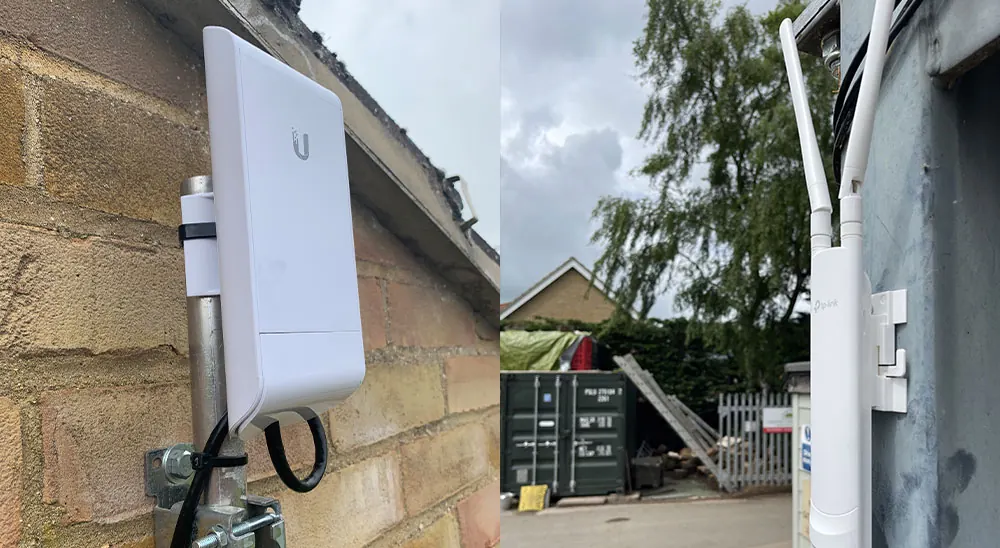
Point-to-point Wi-Fi links
Wireless bridges that carry your network to a garden office, workshop, barn or second building without digging a trench.
Find out more
FAQs
Frequently asked questions
Want advice for your own home or business?
Call our Mildenhall team or send an enquiry and we will talk through the options.
Enquiries
Ask us a question or get a quote
Tell us a little about your property and what you need. We will get back to you to talk it through.
- 01638 515551
- info@solarsat.co.uk
- Phones and email Monday to Saturday, 8:30am to 6pm
- 8 High Street, Mildenhall, Suffolk IP28 7EQ. Showroom visits by appointment.