
Solarsat guide
Power over Ethernet (PoE) for Wi-Fi and CCTV Explained
Power over Ethernet carries electrical power and network data over a single Ethernet cable. It is widely used for wireless access points, IP cameras and other network devices, reducing the need for a nearby mains socket. Successful PoE design depends on matching standards, power budgets, cable routes and the needs of every connected device.
Phones and email Monday to Saturday, 8:30am to 6pm. Showroom visits by appointment.

The two ends of a PoE connection
The powered device, such as a camera or access point, receives power over its Ethernet connection. Power comes from a power sourcing equipment device, usually a PoE switch or an injector. A compatible source detects the device and supplies power according to the supported standard. A normal network switch does not provide PoE unless its specification explicitly says so.
An injector can add power to one cable run when a PoE switch is not required. It sits between a standard switch and the powered device, and needs its own local power supply. A PoE switch is often easier to manage when several devices need power, but its total budget must be considered.
PoE can simplify placement because the device need not be beside a wall socket. It does not remove every power requirement: the switch or injector still needs mains power, and a remote building may need a suitable supply for that equipment.
Standards, voltage and compatibility
PoE standards define how power is negotiated and the power available at the source and device. Familiar names include IEEE 802.3af, 802.3at and 802.3bt, commonly associated with different power classes and capabilities. The amount reaching the device is lower than the source figure because power is lost along the cable.
Check both ends of the proposed link. A device may accept only a particular standard or draw more power during start-up, infrared illumination or high-performance operation. Some equipment also supports passive PoE, which does not use the same negotiation method and can damage incompatible products if connected incorrectly.
Do not assume that a connector fitting means electrical compatibility. Read the device and switch specifications, including maximum power per port, total budget and supported negotiation. When combining brands, confirm the documented standard and any required configuration rather than relying on product appearance.
Calculate the overall power budget
Add the maximum expected draw of all connected devices, then allow headroom. A switch may advertise a large total budget but still limit power on each individual port. If cameras use heaters or illumination, or access points run at full capability, consumption may rise above an idle figure. Use manufacturer maximum values for planning.
The total PoE budget is shared among ports. If the connected demand exceeds it, a switch may refuse new devices, shut down lower-priority ports or behave according to its power management settings. Decide which connections matter most and understand what happens after a power cycle or when extra equipment is added.
For a larger system, record the device, port and expected load. This makes later additions safer and helps explain unexpected outages. A replacement switch should be checked against the actual connected load, not chosen only by port count or network speed.
Cable length and installation conditions
Standard Ethernet channel limits generally allow up to 100 metres, including permanent cabling and patch leads, but cable quality and installation affect performance. Long, damaged or poorly terminated runs can cause network errors and voltage drop. Use suitable solid copper cable for permanent infrastructure; copper-clad aluminium is not a sound substitute for PoE installations.
Cable bundles carrying power can warm, especially where many loaded runs are tightly grouped. Follow cable and equipment guidance for bundling, containment, ambient temperature and separation. Avoid crushed cable, sharp bends and unapproved joins, and keep outdoor sections protected against moisture and physical damage.
For exterior cameras or access points, check bonding and surge protection requirements for the building and equipment. Weatherproof connectors and correct entry details matter. If a run exceeds the standard channel length, assess a compliant alternative such as an intermediate switch location or fibre with local power.
Commissioning and fault finding
After connecting equipment, confirm that the switch reports the expected PoE status and that the device starts reliably. Check video, wireless service or other function at the far end, not just the switch indicator. Test under real operating conditions, including camera night mode or a busy access point, and verify that the supply remains stable.
A device that repeatedly restarts may have a power budget issue, an unsuitable cable or a fault at the connector. Confirm the port standard, cable length, termination and device demand before replacing equipment. A managed switch can provide useful power and link information, but readings should be interpreted alongside the manufacturer’s limits.
Document switch ports, cable destinations and power sources. Keep firmware current and review the budget before adding devices. A professional installer can specify compatible equipment, test cabling and make sure network layout, coverage or camera positioning is not compromised just to simplify power.
Have a question about your own property? Contact our Mildenhall team.
Related services
Services this guide covers
Data and network cabling
Wired network sockets, data cabinets and structured cabling for offices and homes, planned for growth and easy to maintain.
Find out moreWi-Fi and networking
Whole-property Wi-Fi, outdoor coverage, wired network points, data cabinets and wireless links between buildings.
Find out more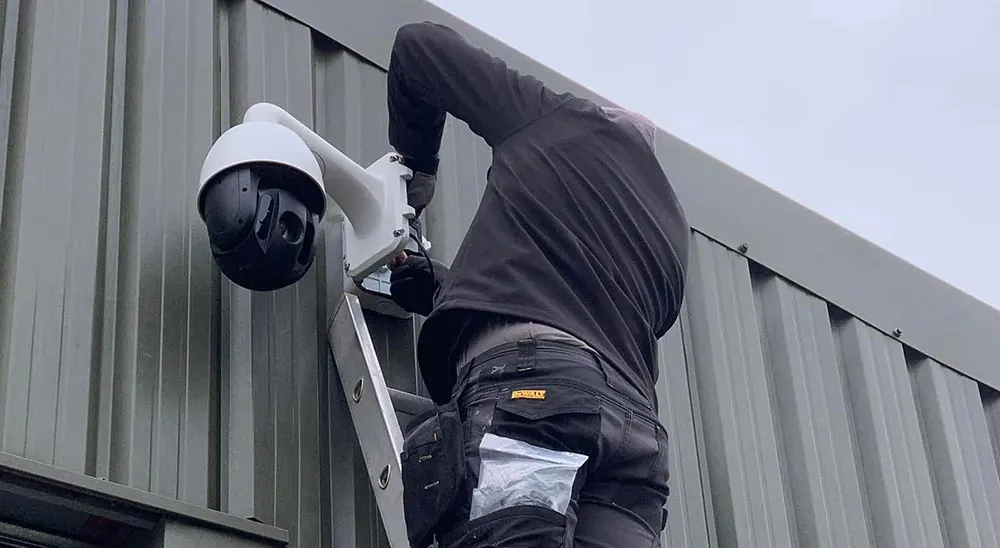
CCTV
IP CCTV with 24/7 colour images, two-way audio and smartphone alerts for homes, businesses and farms.
Find out more
FAQs
Frequently asked questions
Want advice for your own home or business?
Call our Mildenhall team or send an enquiry and we will talk through the options.
Enquiries
Ask us a question or get a quote
Tell us a little about your property and what you need. We will get back to you to talk it through.
- 01638 515551
- info@solarsat.co.uk
- Phones and email Monday to Saturday, 8:30am to 6pm
- 8 High Street, Mildenhall, Suffolk IP28 7EQ. Showroom visits by appointment.