
Solarsat guide
PTZ or fixed CCTV cameras?
A pan, tilt and zoom camera can look across a large area and move to inspect a point of interest. A fixed camera always watches the direction in which it was set. Neither approach is universally better: the right choice depends on whether continuous coverage, active observation or a particular level of detail matters most.
Phones and email Monday to Saturday, 8:30am to 6pm. Showroom visits by appointment.
What a fixed camera does well
A fixed camera continuously records its chosen field of view. That makes it useful for an entrance, doorway, yard or boundary where the area of interest is known. There is no operator decision about where to point it, and recorded footage remains centred on the same scene even when nobody is watching live video.
The trade-off is that one fixed view cannot be redirected when activity occurs elsewhere. A broad lens can cover more space but may leave people too small for useful identification. Multiple fixed cameras can provide overlapping views, which helps preserve coverage as someone moves between zones. Their positions should be planned to avoid duplicating the same scene while missing a route.
Where PTZ can help
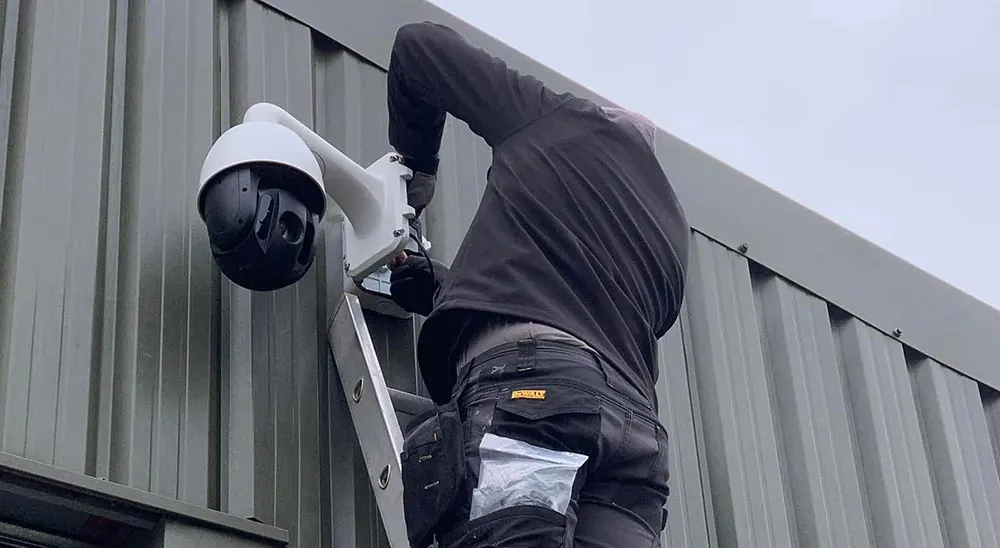
PTZ stands for pan, tilt and zoom. An operator or programmed control can move the camera horizontally and vertically, then narrow the view to inspect a distant area. This can be useful across a large yard, open site or car park where a person may need to investigate different locations without travelling immediately to each one.
The ability to move is also a limitation. When the camera is looking towards one point, it is not recording a continuous view of the areas left behind. A preset patrol can visit selected positions, but activity between visits may be missed. Zooming in provides detail in a smaller area rather than recording a complete scene at high detail. Consider who will operate the camera and what happens when nobody is monitoring it.
Match the equipment to the task
For a home entrance or side passage, a fixed camera is often a straightforward way to maintain a consistent record. A farm yard with several distant buildings may benefit from PTZ for active inspection, while fixed cameras remain useful at gates or stores that need uninterrupted coverage. List the tasks each view should perform before choosing a camera type.
If an incident must be captured without an operator noticing it in real time, continuous fixed coverage is important. If staff can monitor a live system and respond to activity, PTZ may add flexibility. A combination can work well: fixed cameras provide permanent evidence and a PTZ camera gives an operator a closer look. Ensure the recording system can display and retrieve each camera's footage clearly.
Consider image detail and network needs
Optical zoom changes the lens view and can bring a distant subject closer in the recorded image. Digital enlargement cannot create detail that was not captured. The result still depends on focus, light, movement and the distance involved. Test the intended target from the proposed position rather than relying on a maximum zoom figure in isolation.
Movable cameras need a suitable mounting point, protected cabling and a network path that remains dependable while the camera operates. Outdoor locations also need accessible arrangements for inspection and cleaning. Check whether the operator interface makes it easy to select presets and whether authorised users can control the camera without disrupting another person's monitoring.
Plan coverage, privacy and operation
Decide which areas must remain in view at all times and use fixed cameras for those responsibilities. Set PTZ limits and presets so movement stays within the intended property and operational area. If the camera can be controlled remotely, define who has access and how changes are logged. This reduces confusion when an event needs review later.
Test the arrangement during ordinary use. Confirm that fixed footage is recording, PTZ presets return to their intended positions and operators understand how to save or retrieve relevant clips. Reassess after layout changes, new structures or altered work patterns. The useful choice is the one that matches actual monitoring capacity and provides the required footage, not the camera with the most movement options. Include a brief familiarisation session for anyone expected to use the controls. Explain how presets work, how to return to a default position and how to find recorded footage rather than relying on a live display. Clear naming and a consistent routine reduce uncertainty during a stressful incident.
Have a question about your own property? Contact our Mildenhall team.
Related services
Services this guide covers
CCTV
IP CCTV with 24/7 colour images, two-way audio and smartphone alerts for homes, businesses and farms.
Find out moreFarm CCTV installation
Cameras for yards, gates, barns and outbuildings, linked across the farm with wireless bridges and alerts to your phone.
Find out more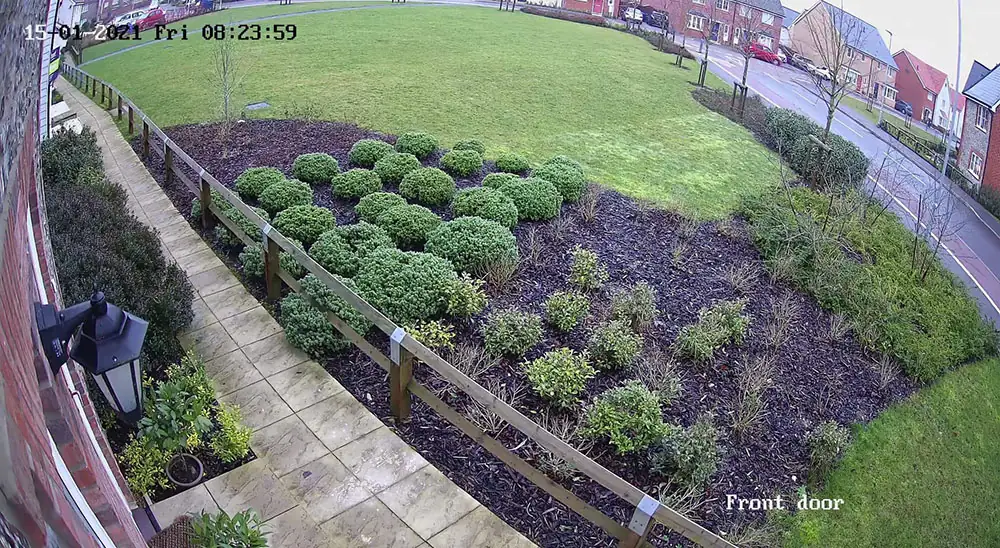
Home CCTV installation
Cameras for front doors, drives, side gates and gardens, with phone viewing, alerts and two-way audio.
Find out more
FAQs
Frequently asked questions
Want advice for your own home or business?
Call our Mildenhall team or send an enquiry and we will talk through the options.
Enquiries
Ask us a question or get a quote
Tell us a little about your property and what you need. We will get back to you to talk it through.
- 01638 515551
- info@solarsat.co.uk
- Phones and email Monday to Saturday, 8:30am to 6pm
- 8 High Street, Mildenhall, Suffolk IP28 7EQ. Showroom visits by appointment.