
Solarsat guide
Plan a broadband backup that covers the essentials
A backup connection is useful when an outage would interrupt work, payments or remote access to important equipment. The aim is not necessarily to duplicate every activity in the property. It is to keep agreed essentials working, understand what will stop and make switching predictable enough that someone can manage it when the main service fails.
Phones and email Monday to Saturday, 8:30am to 6pm. Showroom visits by appointment.

Start with the consequences of losing the connection
Write down what depends on broadband and what each interruption would mean. A home office may need calls and access to work systems. A small business may prioritise EPOS payments and order handling. CCTV remote viewing, alarm signalling and internet-based telephone services can have different connection requirements.
Distinguish local operation from remote communication. A recorder may continue saving footage locally while remote viewing stops, but that depends on the equipment and its power supply. An alarm may have a separate signalling path or none at all. Check the actual arrangements rather than grouping every device under one assumption.
Choose the activities that must continue and those that can pause. Streaming, software downloads and routine cloud backups can quickly consume a limited backup allowance. A short priority list makes router configuration and testing more useful than simply trying to keep the entire household online without restrictions.
Choose a second path with different dependencies
The main service might use fibre, copper, satellite or mobile broadband. A second service can use a different technology, but diversity needs thought. Two connections may still share a provider network, a local power dependency or the same physical route. Different brand names do not necessarily mean independent infrastructure.
Mobile backup is a common option where a suitable 4G or 5G signal is available at the property. Check it in the proposed equipment position and at busy times. Indoor signal, network congestion and router compatibility matter. An external antenna may help in some locations, but it needs an appropriate survey.
Satellite or a second fixed connection may suit other circumstances. Assess practical independence, installation requirements and service terms rather than relying on a technology label. The backup should be usable during the type of outage you are concerned about, not merely work well during a normal afternoon test.
Understand dual WAN and switching behaviour
WAN means the router's connection towards an external network. A dual-WAN router can accept two such connections, while some routers include a mobile modem or support an approved external one. Confirm the exact hardware and supported combinations. A spare socket or USB port does not automatically provide failover capability.
Automatic failover uses configured checks to decide when the primary connection has failed and when to switch. Manual backup relies on someone changing a setting, moving a connection or using another device. Manual arrangements can be adequate, but instructions and access must be available when the usual contact is away.
Switching connections usually changes the outward-facing internet address. Existing calls, VPN sessions and other connections may drop and need to reconnect. Remote access and services expecting a fixed address need particular attention. Failover is not the same as seamless continuity, and combining connections is a separate capability rather than an automatic feature.
Protect power and control backup traffic
A suitable uninterruptible power supply can keep selected local equipment running for a limited period. Include the router, fibre ONT where fitted, and any switches or wireless equipment needed by essential devices. Select equipment for the actual electrical load and required runtime, following the manufacturer's installation and maintenance guidance.
Local power backup cannot guarantee that the provider's network or a mobile mast remains operational. Nor does powering the router keep an unpowered till, computer or camera online. Map the whole essential path so the plan does not overlook a small switch, modem or power supply in another room.
Review data allowances, permitted router use, contract conditions and what happens when an allowance is exhausted. Configure traffic restrictions where supported, particularly for automatic uploads and large downloads. Check alarm, CCTV and EPOS connectivity with their suppliers, since the network changes they tolerate can vary by product and service.
Common mistakes to avoid
Buying an unused SIM and leaving it in a drawer is not a tested backup plan. Confirm activation, account access and continued service under the provider's terms. Keep equipment updated and ensure the nominated person can find the instructions without relying on the failed internet connection.
Do not test only by checking whether a web page loads. Verify priority services, incoming access where required and the return to the primary connection. Automatic failback can interrupt sessions too. Schedule tests carefully so a simulated outage does not unexpectedly disrupt payments, safety-related communications or someone else's working day.
Avoid setting failure detection so sensitively that brief disturbances cause repeated switching. Equally, a check that only sees the local modem may miss a fault further upstream. Detection settings should reflect the equipment and service, then be validated through realistic, controlled tests rather than accepted without review.
When to get professional help
Seek help where several essential systems share the connection, the property needs an external mobile antenna or automatic switching must operate unattended. A network installer can assess the local equipment and configuration, while specialist suppliers should confirm requirements for payments, alarms and managed workplace connections.
Ask for a written priority list, switching procedure and test record. Confirm which outages the arrangement addresses and which remain outside its scope. Agree how often to retest and who checks the backup account, power unit and firmware. A maintained, understood arrangement is more valuable than redundant equipment nobody has practised using.
Have a question about your own property? Contact our Mildenhall team.
Related services
Services this guide covers

Rural broadband
Fast, reliable internet for rural homes and businesses using 4G, 5G and Starlink, with planning, installation and support.
Find out moreWi-Fi and networking
Whole-property Wi-Fi, outdoor coverage, wired network points, data cabinets and wireless links between buildings.
Find out more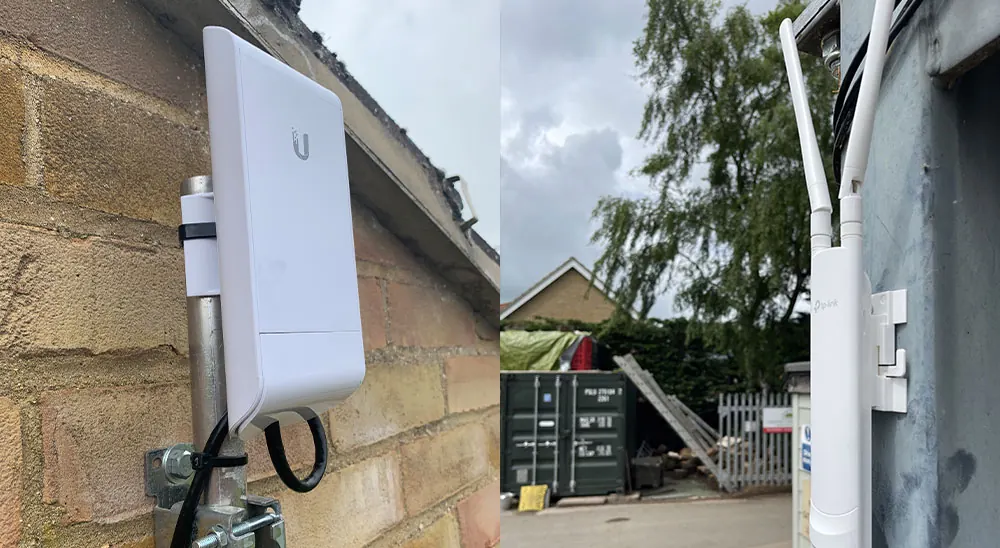
Starlink installation
Starlink dishes positioned for a clear view of the sky, cabled in neatly and shared round the house and outbuildings.
Find out more
FAQs
Frequently asked questions
Want advice for your own home or business?
Call our Mildenhall team or send an enquiry and we will talk through the options.
Enquiries
Ask us a question or get a quote
Tell us a little about your property and what you need. We will get back to you to talk it through.
- 01638 515551
- info@solarsat.co.uk
- Phones and email Monday to Saturday, 8:30am to 6pm
- 8 High Street, Mildenhall, Suffolk IP28 7EQ. Showroom visits by appointment.