
Solarsat guide
Sky Q dish and wideband LNB requirements
A satellite dish that previously served another receiver is not automatically ready for Sky Q. The LNB and cabling must suit the equipment, while the dish needs a stable mount and a clear satellite view. A site check can establish what can be retained and what needs changing.
Phones and email Monday to Saturday, 8:30am to 6pm. Showroom visits by appointment.
What the LNB does
The low-noise block, usually called an LNB, sits at the end of the dish arm and receives the satellite signal. It converts the incoming signal so that it can travel through coaxial cable to compatible television equipment. LNB designs differ in how they present signal outputs, so matching the component to the receiver is as important as having a dish of an appropriate size.
Sky Q installations commonly use a wideband LNB arrangement designed for the system's tuner requirements. A conventional LNB used for an older setup may have a different output arrangement and may not provide the connections expected by Sky Q. Do not identify compatibility by appearance alone. The installer should check the receiver model, LNB markings, number of feeds and current cabling.
Dish condition and position
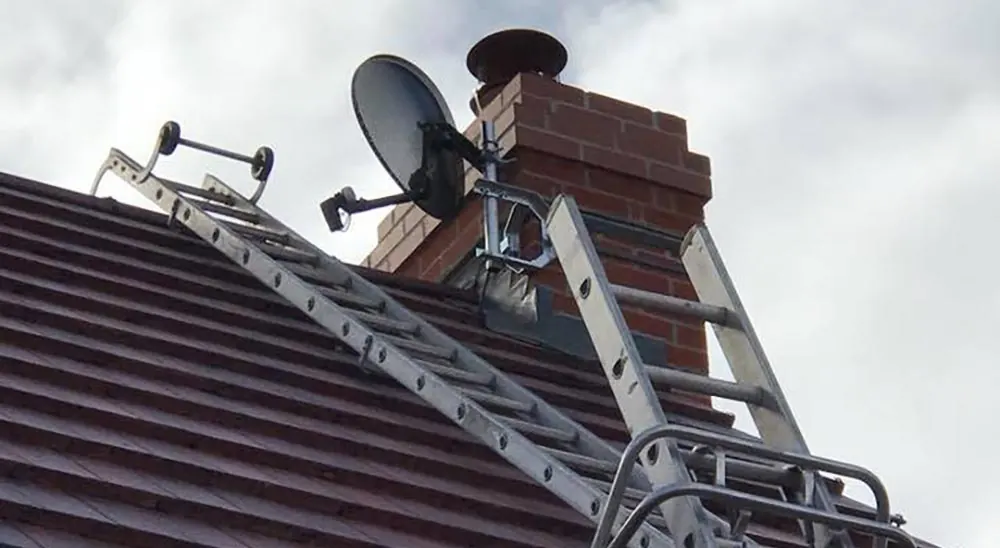
The dish itself must be securely fixed and accurately aligned. Rust, a bent reflector, a loose arm or movement at the wall bracket can affect signal quality. A dish may look intact from the ground while having a compromised fixing or alignment, so a safe close inspection is useful where access permits. Any proposed reuse should be based on condition and measured reception.
A suitable view of the satellite is needed, without an obstruction such as a new extension, scaffold or growing tree blocking the signal path. Roof edges and walls also influence where a dish can be mounted securely. The best position is not always the most convenient spot beside the television room. Discuss cable routing, access for future maintenance and the appearance of the installation before fixing a location.
Check whether nearby construction is planned, not just what currently blocks the view. A temporary obstruction from scaffolding can be different from a permanent wall or roofline. If access equipment is already planned for other work, discuss the timing with the installer and property owner so the dish position can be assessed safely.
Cable feeds and room layout
Sky Q equipment needs the correct satellite connections from the LNB. The number and type of feeds should be confirmed for the specific receiver and any additional equipment in use. Existing cable may be reusable if it is undamaged and appropriately routed, but brittle insulation, poor joins and weathered connectors can undermine an otherwise sound dish installation.
Plan the route from the dish to the receiver before work begins. Long runs, sharp bends, poorly sealed external connections and unnecessary splitters can impair reliability. Where cables enter a property, they should be secured and weatherproofed appropriately, with a neat internal finish. Tell the installer about wall construction, loft access and the desired television position so the route can be assessed realistically.
Checking signal quality
A picture that appears to work at first is not the only measure of a successful installation. Signal measurements can help confirm that alignment and connections are sound, while checking the receiver's status can reveal problems that may otherwise appear only intermittently. If some services fail but others work, note the affected channels and any recent weather or building changes.
Water ingress, loose plugs and damaged cable can create faults that are easily mistaken for a dish alignment issue. A careful diagnosis checks the complete path from dish to receiver rather than replacing parts without evidence. Avoid trying to adjust a dish from a ladder or roof. Safe access, suitable tools and an understanding of the signal readings are important for reliable work.
Before upgrading or replacing equipment
Before an upgrade, note the receiver model, how many televisions use the dish and whether any other satellite service shares the installation. Photographing accessible equipment labels can help an installer understand the existing arrangement, but do not attempt to open sealed equipment or climb to inspect roof components. Ask whether the visit includes checks of the LNB, cabling and signal at the receiver.
If the property is rented, obtain permission before changing a dish, drilling an external wall or adding cable. For owned homes, consider any planned roof repairs or exterior works so the dish is not installed where it will soon need moving. A clear discussion of receiver compatibility, cable route, access and finish helps shape a suitable installation rather than relying on assumptions about an older system.
Have a question about your own property? Contact our Mildenhall team.
Related services
Services this guide covers
FAQs
Frequently asked questions
Want advice for your own home or business?
Call our Mildenhall team or send an enquiry and we will talk through the options.
Enquiries
Ask us a question or get a quote
Tell us a little about your property and what you need. We will get back to you to talk it through.
- 01638 515551
- info@solarsat.co.uk
- Phones and email Monday to Saturday, 8:30am to 6pm
- 8 High Street, Mildenhall, Suffolk IP28 7EQ. Showroom visits by appointment.