
Solarsat guide
Make smart heating work room by room
Connected heating controls can make schedules easier to manage, but zoning is only useful when it suits the heating system and the way rooms are occupied. Start by understanding the existing controls and deciding where independent temperatures would help.
Phones and email Monday to Saturday, 8:30am to 6pm. Showroom visits by appointment.
Map the existing heating arrangement
Before selecting a thermostat, establish what type of heating is installed and how it is currently controlled. A boiler with a single room thermostat differs from a system with multiple heating circuits, underfloor heating or separate hot water controls. Make a note of existing timers, thermostats, wiring centres and any manufacturer information available. The details help determine which smart products can work with the system rather than merely connect to a phone.
Think about which areas have genuinely different occupancy or comfort needs. Bedrooms, living spaces and a home office may follow different schedules, but not every individual room needs its own control. Zoning can require additional valves, wiring and configuration, so the potential convenience should be balanced against the scope of work. An installer can explain what is feasible after inspecting the controls and heating layout.
Understand what a heating zone controls
A zone is an area whose heating can be called for independently from another area. The actual arrangement depends on the pipework and control equipment, not simply on how many thermostats appear in an app. Some systems use motorised valves or manifold actuators, while others use room sensors with compatible radiator controls. Confirm which heat source and circuit each control operates before assuming rooms can be managed separately.
More zones do not automatically mean lower energy use or better comfort. Poorly designed schedules can cause repeated adjustments, and a sensor placed in a draught or near a heat source may give misleading readings. Ask how minimum flow, boiler cycling and any required bypass arrangements are addressed. The aim is stable control that reflects the capabilities of the installed heating system, not the largest possible number of app tiles.
Position thermostats and sensors carefully
A thermostat measures conditions where it is installed, so location affects how it behaves. Avoid placing a room sensor in direct sun, behind furniture, next to a radiator or close to a frequently opened external door. A sensor in a representative part of the room is more likely to reflect the comfort people actually experience. For multi-room control, agree which sensor is the reference for each zone and whether other readings are used.
Radiator controls can provide room-level adjustment, but they must be matched to the valve bodies and configured sensibly alongside the main thermostat. Check that doors, curtains and furniture will not obstruct the sensor or restrict heat circulation. If a room has several heat emitters, ensure their controls work together as intended. A practical placement review before installation can prevent confusing temperature readings and repeated manual corrections.
Set schedules that reflect household routines
Build schedules around when rooms are used, allowing suitable time for the property to warm up or cool down. A weekday routine may differ from weekends, shift work or school holidays. Start with comfortable settings rather than frequent short changes, then review the result over several days. Most households benefit from a straightforward baseline schedule that can be adjusted when plans change, rather than a timetable that needs constant attention.
Remote access is useful when plans change, but agree how household members will make adjustments and avoid conflicting instructions. Consider whether the system offers a holiday setting, temporary override and a clear way to return to the normal schedule. Check how controls behave during an internet outage and whether essential local operation remains available. Clear handover helps users understand which changes are temporary and which alter the regular programme.
Confirm compatibility and commissioning
Product compatibility can depend on the heat source, existing wiring, hot water controls, valves and communication method. Do not assume a thermostat designed for one boiler arrangement will support another. Check manufacturer guidance and have a qualified professional inspect the control circuit before any wiring changes. Where several systems are involved, make sure the proposed design explains how heating calls are coordinated and what equipment remains in place.
Commissioning should include testing every thermostat, zone and schedule, along with a check of the heat source response. Ask for the system layout, control names and setup information to be recorded. Verify that manual controls are understandable and that temporary changes can be cleared. A well-documented handover makes it easier to maintain the arrangement, add compatible devices later or explain how the heating should operate to another household member.
Have a question about your own property? Contact our Mildenhall team.
Related services
Services this guide covers
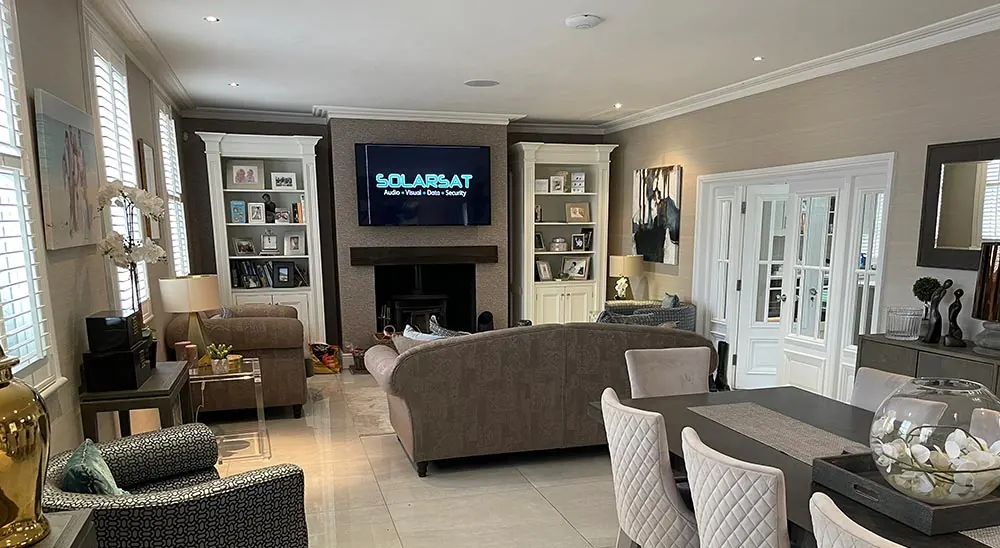
Smart home and automation
Control lighting, climate, appliances and AV from your phone or a control panel, at home or across a business.
Find out more
Electrical, solar and EV charging
Electrical repairs, maintenance and installations, plus EV chargers, solar PV panels and battery storage.
Find out more
FAQs
Frequently asked questions
Want advice for your own home or business?
Call our Mildenhall team or send an enquiry and we will talk through the options.
Enquiries
Ask us a question or get a quote
Tell us a little about your property and what you need. We will get back to you to talk it through.
- 01638 515551
- info@solarsat.co.uk
- Phones and email Monday to Saturday, 8:30am to 6pm
- 8 High Street, Mildenhall, Suffolk IP28 7EQ. Showroom visits by appointment.