
Solarsat guide
Should you choose a soundbar or separate surround speakers?
The best TV sound system is the one that suits your seating, listening habits and tolerance for equipment around the room. A soundbar can keep everyday viewing straightforward. Separate speakers offer more placement flexibility and genuinely distinct sound directions, but need more planning. Compare the practical differences before counting channels or choosing features.
Phones and email Monday to Saturday, 8:30am to 6pm. Showroom visits by appointment.
Start with the room and the people listening
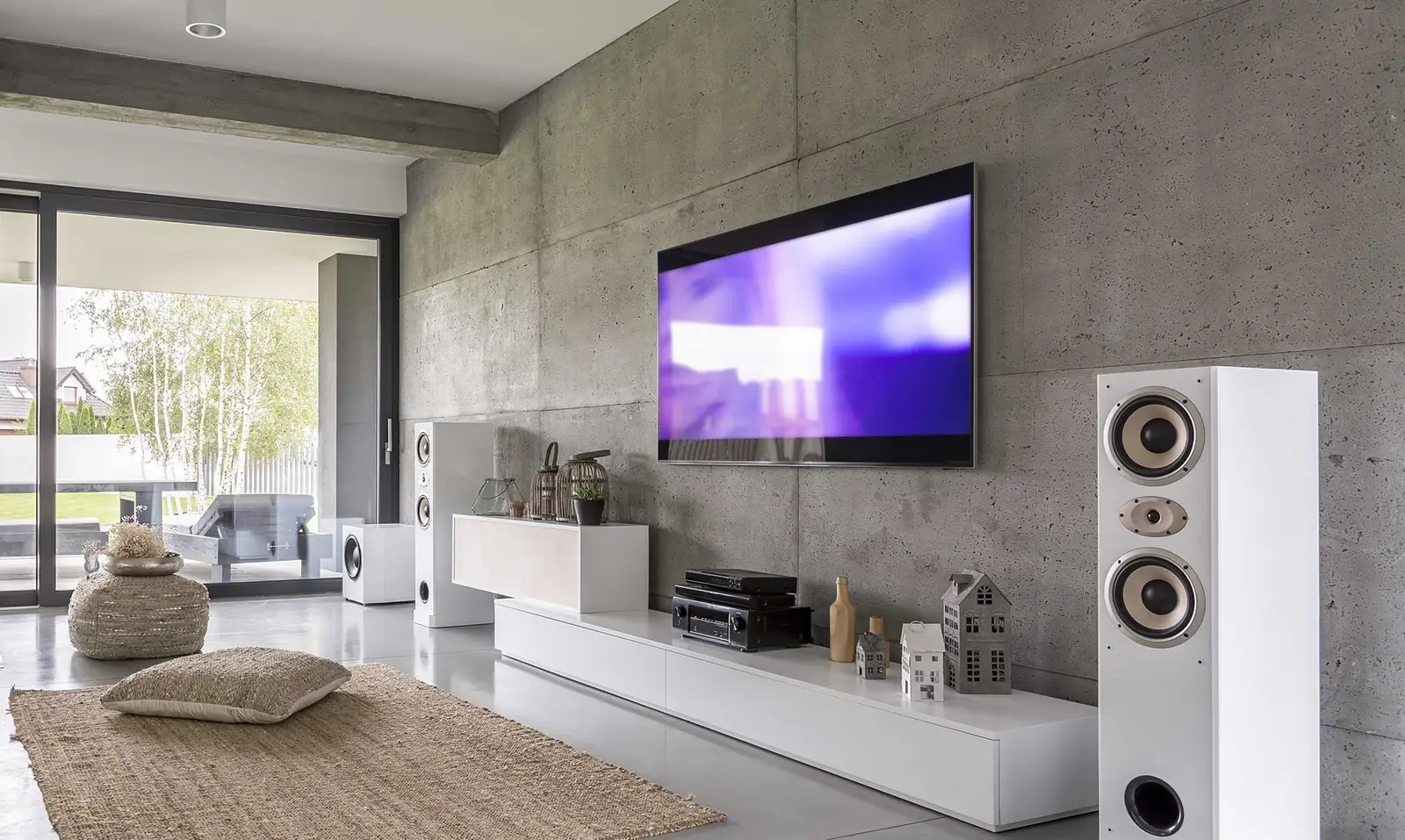
Sketch the sofa, television, doors and regular walking routes. A soundbar works well where the main listening position faces the screen and there is limited space for speakers elsewhere. Separate surround speakers need sensible positions beside or behind listeners, not simply whichever corners happen to have spare sockets.
Think about who watches most often. Clear news and drama dialogue at modest volume may matter more than dramatic effects. Listen to ordinary speech, quiet scenes and busy soundtracks when comparing systems. A louder demonstration can sound more impressive without being clearer, so compare at similar comfortable listening levels.
Soundbars may use virtual processing or reflected sound to suggest effects beyond the cabinet. Results depend on seating position, room shape and reflective surfaces. Discrete surround speakers produce sound from separate physical positions. They can give more definite directional cues, but poor placement can still leave effects distracting or uneven across the sofa.
Understand the equipment and wiring trade-offs
A soundbar normally combines amplification and several drivers in one enclosure. Some can add a matching subwoofer or rear speakers. Check whether those additions are optional, supported by the exact model and likely to remain available. A system advertised with many channels does not necessarily contain that many separate speaker cabinets.
Passive speakers connect by speaker cable to an amplifier or AV receiver. They need suitable cable routes but usually no local mains supply. Active speakers contain amplification and require power. Wireless speakers still generally need power leads, and wireless audio links can have compatibility or interference limitations. Wireless does not mean completely free of cables.
Separate systems can allow individual components to be replaced or upgraded, although compatibility and amplification still matter. Many soundbar expansion systems are tied to a particular product family. Decide whether compact simplicity now is more valuable than component flexibility later. Neither approach is automatically the better purchase for every room.
Give dialogue and bass suitable space
A soundbar should not block the television's infrared receiver or sit inside a cramped recess unless its instructions allow that placement. Leave any side-facing or upward-facing drivers unobstructed. With separate speakers, a centre speaker can anchor dialogue to the screen, but it also needs a clear path towards listeners.
Subwoofer position affects how bass behaves around the room. A convenient corner can produce excessive boom at one seat and weak bass at another. Try practical locations before deciding on a permanent position, keeping cables safe and following the manufacturer's placement advice. Automatic setup cannot completely fix an unsuitable physical location.
Hard floors, large windows and bare walls can make speech less distinct through reflections. Curtains, rugs and ordinary soft furnishings may help, without turning the room into a specialist listening space. Check speech clarity from the seats people actually use. Moving a speaker or adjusting a strong bass setting can help more than simply raising the volume.
Check connections, control and future use
ARC sends television audio back through a compatible HDMI connection to an audio system. eARC supports higher-bandwidth audio formats when both devices and the connection support them. Available sound also depends on the programme, app, source device and settings. An eARC label cannot turn a stereo broadcast into discrete surround sound.
HDMI CEC can allow one remote to handle power and volume, but behaviour varies between devices. Check the correct TV socket, audio output settings and supported formats. Test lip sync with broadcast television, streaming apps and external players because one source can behave differently from another. Apply delay adjustments where the equipment allows.
For rented homes, removable speaker stands or surface cable routes may be preferable to permanent alterations. Obtain permission before drilling where required. In flats, consider neighbouring rooms and the transmission of bass through the building. Night modes and reduced bass can help considerate listening, but they do not soundproof the property or guarantee that neighbours hear nothing.
Common sound system mistakes
Choosing solely by channel count overlooks driver placement, processing and the room itself. Another mistake is buying rear speakers before checking where they can safely stand and receive power. A rear speaker beside one listener's ear can dominate that seat rather than create balanced surround sound.
Avoid excessive bass and aggressive dialogue enhancement as default settings. Both can make an initial demonstration striking while becoming tiring during everyday viewing. Do not assume every app supplies the same audio format, or that every wireless accessory is interchangeable. Check the upgrade path, then test ordinary television use before keeping a more complicated arrangement.
When professional setup or calibration helps
An installer can help when the room has awkward seating, dialogue remains unclear or several sources behave differently. The first task should be checking placement, connections and settings, not immediately recommending more speakers. In many living rooms, a simpler arrangement positioned properly is easier to live with than a crowded surround layout.
Calibration can align speaker levels, distances, crossover settings and supported room correction. It should include listening checks, sensible subwoofer integration and verification of lip sync and remote control. Ask for a demonstration at your normal listening volume and an explanation of useful presets. Keep a note of the final settings so accidental changes are easier to reverse.
Have a question about your own property? Contact our Mildenhall team.
Related services
Services this guide covers
Audio-visual and home cinema
TV wall mounting, media walls, home cinema, multi-room music and commercial AV, designed and installed by our own team.
Find out moreHome cinema installation
Dedicated cinema rooms and living room cinema set-ups, with the right screen, surround sound and one-touch control.
Find out more
TV wall mounting
TVs fixed securely to solid, flint or plasterboard walls, with the right bracket and the cables hidden or neatly trunked.
Find out more
FAQs
Frequently asked questions
Want advice for your own home or business?
Call our Mildenhall team or send an enquiry and we will talk through the options.
Enquiries
Ask us a question or get a quote
Tell us a little about your property and what you need. We will get back to you to talk it through.
- 01638 515551
- info@solarsat.co.uk
- Phones and email Monday to Saturday, 8:30am to 6pm
- 8 High Street, Mildenhall, Suffolk IP28 7EQ. Showroom visits by appointment.