
Solarsat guide
Starlink for farms, workshops and rural businesses
Farms and rural businesses often need connectivity in more than one place: an office, workshop, yard, store or staff area. Starlink may be one option where conventional broadband is limited, but the service at the dish is only part of the design. Think through the business tasks, building layout, safe cable routes and how the connection will reach the places where people work.
Phones and email Monday to Saturday, 8:30am to 6pm. Showroom visits by appointment.
List the jobs the connection must support
Write down the systems that depend on the internet, including cloud bookkeeping, card payment terminals, email, video calls, remote monitoring and file backups. Note which tasks are business critical and whether they are used at the same time. This gives a more useful basis for planning than choosing a connection based only on a headline download figure.
Check whether any machinery or management platform requires a particular network arrangement, fixed addressing or remote access. Ask the relevant supplier before changing routers or firewalls. Consider who needs access to business systems and which devices are personal or visitor equipment. Separating these uses can simplify troubleshooting and reduce unnecessary access to sensitive systems.
Choose a practical dish position
A suitable Starlink location needs a clear view of the sky specified by the equipment guidance. Trees, grain stores, roofs and machinery can obstruct the view, and branches change with the seasons. Use the manufacturer’s obstruction assessment process and assess the location over the intended area rather than relying on a quick glance from ground level.
Consider mounting strength, exposure, cable entry, access for maintenance and the route into the network equipment area. Keep cables protected from vehicles, livestock, sharp edges and routine machinery movement. A tidy, labelled route is easier to inspect than a cable laid temporarily across a yard. Confirm any permissions or site constraints before fixing equipment to a building.
Extend connectivity to other buildings
The Starlink router may provide useful coverage near the office, but agricultural buildings can be far apart and built with materials that block Wi-Fi. First decide whether a connection is needed in each building, then measure the route and note line of sight, power availability and likely sources of interference. An indoor mesh unit does not automatically solve a long outdoor gap.
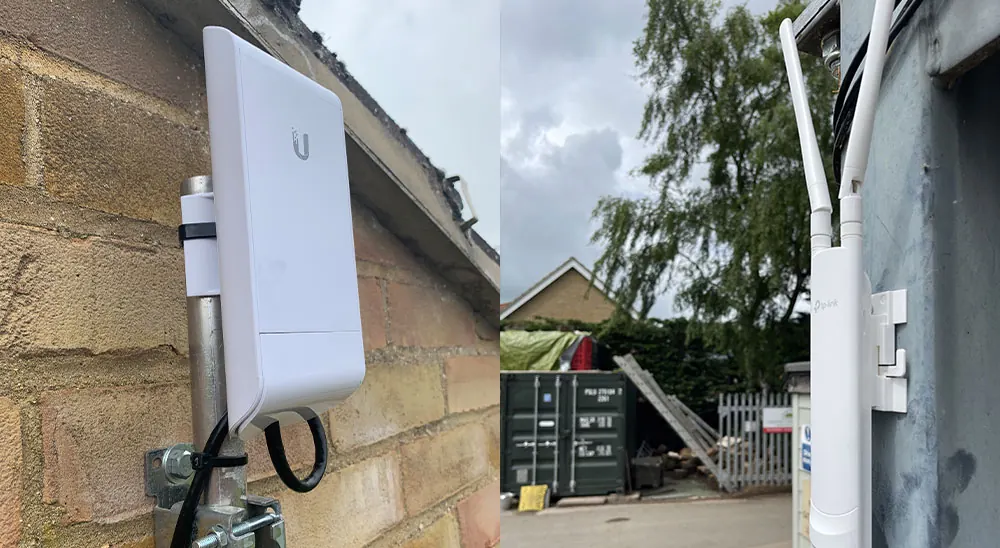
For suitable building-to-building routes, a point-to-point wireless bridge can carry a network connection between two appropriately mounted units. A cable may be preferable where a safe duct or existing service route is available. The choice depends on distance, obstructions, electrical protection and the property layout. Use equipment intended for the environment and ensure installations do not create unsafe work near overhead lines or machinery.
Design for working conditions and security
Dust, moisture, temperature changes and vibration can affect equipment in workshops and stores. Keep network hardware in a suitable location, with ventilation and protection appropriate to its rating. Avoid placing consumer equipment where it can be struck, covered or exposed to wash-down. Label power supplies and network cables, and record which link serves each building.
Use strong administrator credentials and keep business and visitor access distinct where practical. Update equipment according to the supplier’s guidance and review who can access remote management. For important systems, ask the provider what recovery options exist during a service interruption. A backup connection may be appropriate for some operations, but its cost and performance should be assessed against the business impact of downtime.
Test the complete working route
After installation, test at the dish router, then in each building and at the actual equipment. A good result in the office does not prove that the workshop bridge or access point is configured correctly. Test uploads as well as downloads, and try a typical video call, cloud sync or payment task. Note the time and conditions so later checks can be compared fairly.
Agree who will handle routine resets and where the network diagram is kept. Record equipment models, cable paths and any special settings. If a link fails, this information helps distinguish a service issue from a local power, cable or Wi-Fi fault. A professional survey is useful where buildings are separated, routes are exposed or reliable connectivity supports essential business processes.
On working farms and rural commercial yards, mounting the dish clear of grain dryers, tall machinery and seasonal tree growth prevents sudden drop-offs during busy periods. Routing the cable through protected conduit into a dry office or communications cabinet and feeding wired access points or point-to-point links from there gives reliable coverage across yards and outbuildings.
Have a question about your own property? Contact our Mildenhall team.
Related services
Services this guide covers
Starlink installation
Starlink dishes positioned for a clear view of the sky, cabled in neatly and shared round the house and outbuildings.
Find out more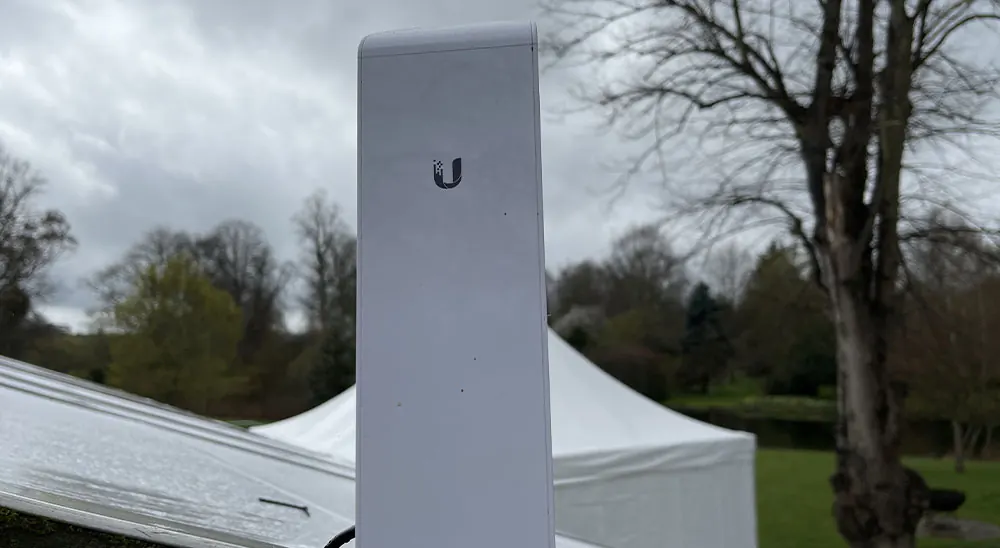
Rural broadband
Fast, reliable internet for rural homes and businesses using 4G, 5G and Starlink, with planning, installation and support.
Find out morePoint-to-point Wi-Fi links
Wireless bridges that carry your network to a garden office, workshop, barn or second building without digging a trench.
Find out more
FAQs
Frequently asked questions
Want advice for your own home or business?
Call our Mildenhall team or send an enquiry and we will talk through the options.
Enquiries
Ask us a question or get a quote
Tell us a little about your property and what you need. We will get back to you to talk it through.
- 01638 515551
- info@solarsat.co.uk
- Phones and email Monday to Saturday, 8:30am to 6pm
- 8 High Street, Mildenhall, Suffolk IP28 7EQ. Showroom visits by appointment.