
Solarsat guide
Choose the right commercial display format
A video wall is not automatically a better version of a large display. Each format has practical strengths and constraints. Base the decision on what people need to see, how far away they stand and how the installation will be operated, serviced and updated throughout its working life.
Phones and email Monday to Saturday, 8:30am to 6pm. Showroom visits by appointment.
Start with viewers and real content
Identify whether people will read detailed information nearby, watch moving imagery at a distance or glance at a message while walking past. Those tasks need different image sizes and levels of detail. Use the smallest important text in the proposed content as a practical test. A display that dominates a reception area may still be unsuitable for dense dashboards viewed from the far side.
One large display gives an uninterrupted image within its available size and shape. A tiled LCD video wall can create a larger canvas, but the panel joins remain part of the viewing experience. Direct-view LED is another category with different close-viewing and pixel-pitch considerations; do not treat it as interchangeable with tiled LCD. Compare actual proposed technologies at the intended viewing distance rather than judging photographs of completed installations.
Check seams, layout and ambient light
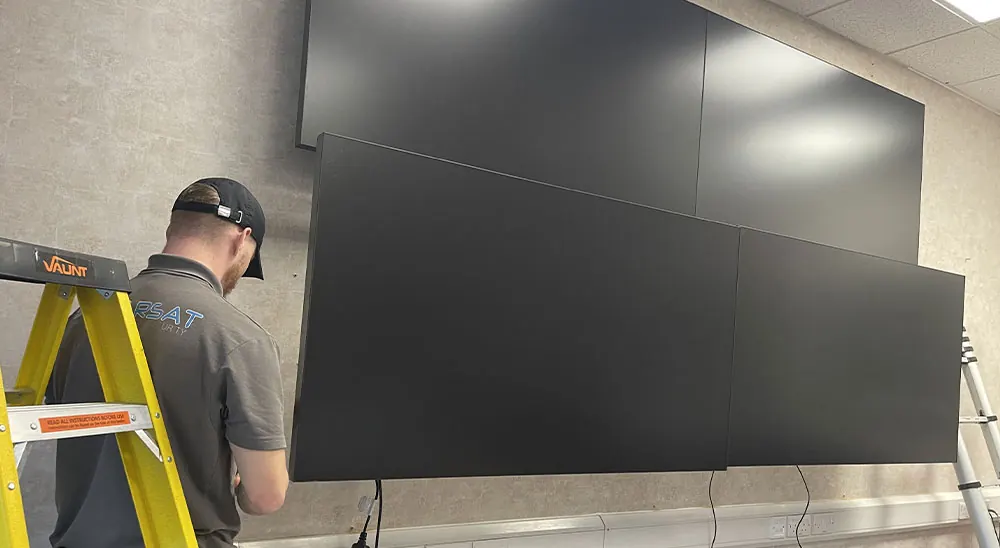
On a tiled LCD wall, consider where panel bezels cross faces, logos, diagrams and text. Narrow bezels reduce the interruption but do not remove it. Content can sometimes be arranged around joins, while bezel compensation changes how the image is mapped across them. Decide whether the main requirement is one continuous picture, several separate information areas or a mixture that changes through the day.
Confirm portrait or landscape support for the exact display model, including mounting and operating restrictions. Unusual layouts may require additional processing and specially prepared content. Assess brightness alongside reflections, window position and automatic dimming needs. A brighter panel will not remove a strong reflected light source. Where panels are combined, matching their colour and brightness matters too, particularly when adjacent areas show pale backgrounds or a single large image.
Allow for structure and maintenance access
A display wall places loads on both the mounting system and the building structure. Check the supporting wall, fixing positions and total installed weight, including brackets and any enclosure. A mounting surface that looks flat may still need adjustment to align several panels accurately. The design should identify who verifies structural suitability and how the installation will be lifted into position without obstructing normal building use.
Service access is part of the layout, not an afterthought. Some tiled systems use front-access mounts, but they still need suitable clearances and safe working space. Other arrangements need access behind the displays. Check how an individual panel, controller or power supply will be replaced. Decorative trims should be removable without damaging neighbouring equipment. A slim appearance is not useful if a routine repair requires dismantling the entire surrounding finish.
Plan sources, controllers and operating conditions
Decide which device creates the content, where it sits and who updates it. One full-screen source may need different processing from several live inputs shown simultaneously. Confirm resolution, aspect ratio and scaling across the complete chain, including players, controllers, extenders and displays. Content-management software does not necessarily replace a video wall controller. Ask for a clear diagram showing which component performs each task and how failures are isolated.
Specify normal operating hours and choose equipment rated for that duty and orientation. Consider static content, scheduled power control and manufacturer guidance on image retention. Displays and processing equipment release heat, so check ventilation in wall recesses and cabinets. Coordinate power circuits, accessible isolation, data outlets and network permissions. An orderly startup after a power interruption should be tested rather than assumed, especially where the installation runs without a receptionist nearby.
Common purchasing and budgeting mistakes
Comparing only the panel purchase cost leaves out much of the project. Mounting systems, structural work, lifting access, controllers, signal distribution, cabling, electrical alterations and content preparation all affect the total. Software licences, support arrangements, energy use and replacement access matter afterwards. Compare options against the same operating brief so a basic display is not mistakenly measured against a fully managed video wall package.
Other mistakes include stretching ordinary content across an unusual canvas, choosing unsuitable operating hours and leaving no route to service central panels. Do not assume a future replacement panel will match the colour of older units exactly. Ask how calibration, spare equipment and component availability will be managed. A large display may be the more practical choice where uninterrupted detail matters more than scale, even when the wall could physically accommodate several panels.
When to hire a professional installer
Use professional input for multi-panel alignment, uncertain structures, elevated installations or systems with several sources and operating modes. Early advice is also useful where the screen sits inside joinery or a public-facing enclosure. The installer should coordinate the physical layout with electrical, network and content requirements. That prevents an attractive visual design from becoming difficult to cool, control or maintain once the building work is complete.
At handover, inspect representative content from normal viewing positions and under daytime lighting. Check panel alignment, colour consistency, text readability and every input layout. Test scheduled operation, power recovery and the content update process with the people responsible for using it. Keep layout drawings, settings and service instructions together. Agree who maintains displays, processing equipment and content software so faults do not fall between several suppliers with unclear responsibilities.
Have a question about your own property? Contact our Mildenhall team.
Related services
Services this guide covers
Video wall installation
Multi-screen video walls for shops, showrooms, offices and venues, planned, mounted, cabled and set up with simple control.
Find out more
Audio-visual and home cinema
TV wall mounting, media walls, home cinema, multi-room music and commercial AV, designed and installed by our own team.
Find out more
Data and network cabling
Wired network sockets, data cabinets and structured cabling for offices and homes, planned for growth and easy to maintain.
Find out more
FAQs
Frequently asked questions
Want advice for your own home or business?
Call our Mildenhall team or send an enquiry and we will talk through the options.
Enquiries
Ask us a question or get a quote
Tell us a little about your property and what you need. We will get back to you to talk it through.
- 01638 515551
- info@solarsat.co.uk
- Phones and email Monday to Saturday, 8:30am to 6pm
- 8 High Street, Mildenhall, Suffolk IP28 7EQ. Showroom visits by appointment.